iPad for Content Creators: Which Model Should You Buy?
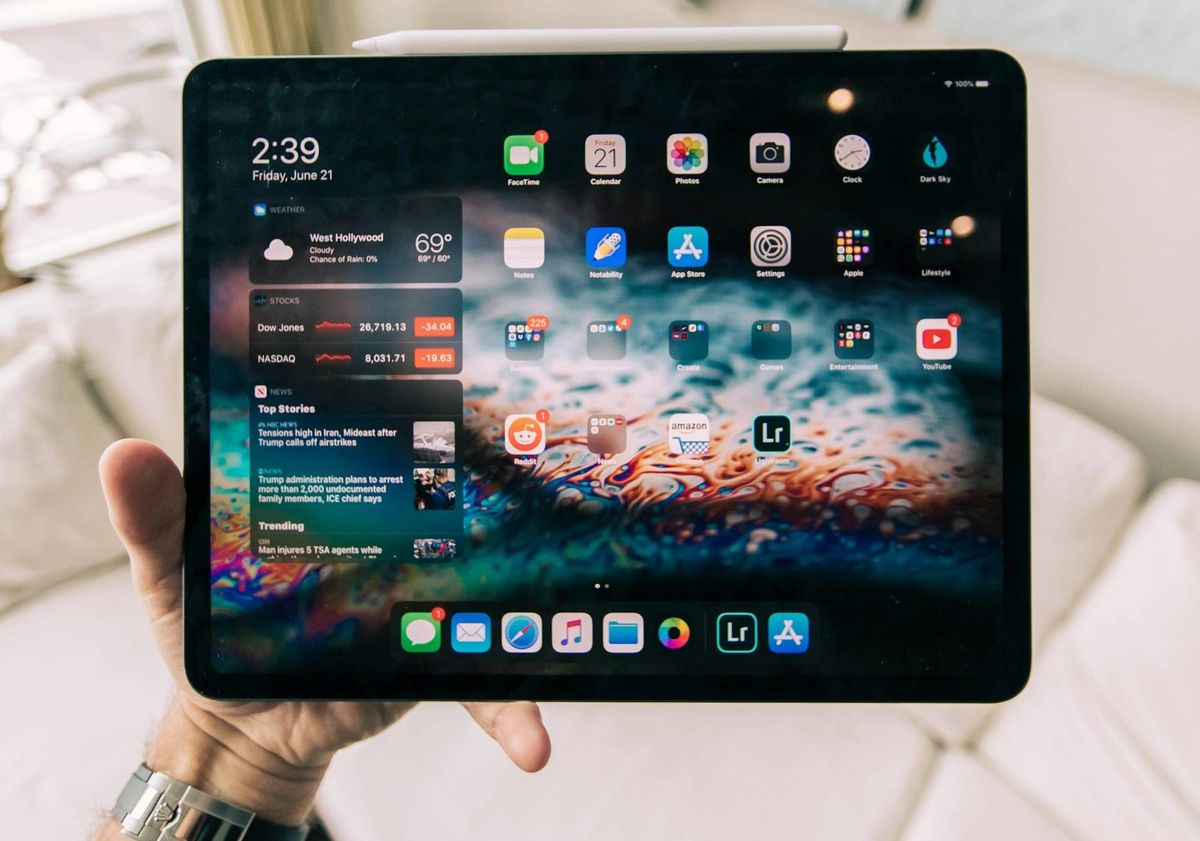
A practical guide to choosing the right iPad for content creators, comparing iPad, iPad mini, iPad Air and iPad Pro for content planning, drawing, editing, writing, social media, brand work, affiliate content and running a creator business.
Last updated: 24 April 2026
The best iPad for content creators is not automatically the most expensive one. That is the mistake a lot of creators make.
They see the iPad Pro in a desk setup video, add the Apple Pencil Pro, Magic Keyboard, extra storage and a case, then suddenly a tablet purchase has turned into a laptop-level investment. Sometimes that is justified. Often, it is not.
An iPad can be brilliant for creators. It can become your content planner, script notebook, thumbnail board, drawing tablet, lightweight editing machine, brand-deal organiser, research device, second screen and portable business hub.
But the right model depends on the work.
A creator who edits YouTube videos, designs in Procreate and manages client projects has different needs from someone who plans TikToks in Notion, writes captions, tracks affiliate links and takes notes on brand calls. A creator who wants a laptop replacement has different needs from someone who wants a digital notebook.
This guide compares every current iPad model for creators, explains who should buy each one, when the iPad Air is enough, when the iPad Pro is worth it, and when the base iPad or iPad mini is the smarter business purchase.
Which iPad is best for content creators?
The best iPad for most content creators is the iPad Air because it balances performance, Apple Pencil Pro support, 11-inch and 13-inch options, creative app access and price. The iPad Pro is better for professional visual work, the base iPad is enough for planning and admin, and the iPad mini is best for portable notes.
Most creators should start with the iPad Air as the default option.
Then move up or down only if the workflow clearly demands it.
| iPad model | Best creator fit | Why it makes sense | Main watch-out |
|---|---|---|---|
| iPad Pro | Professional illustrators, designers, video editors and creators who need the best display. | Top performance, Ultra Retina XDR display, ProMotion and strongest premium setup. | Expensive once storage, Apple Pencil and Magic Keyboard are added. |
| iPad Air | Most serious creators. | Strong performance, 11-inch and 13-inch sizes, Apple Pencil Pro support and better value than Pro. | No ProMotion and not as premium as iPad Pro. |
| iPad | Beginner creators, students, planners and creators on a lower budget. | Good for notes, content planning, admin, Canva, writing and light creator work. | No Apple Intelligence and weaker creative ceiling than Air or Pro. |
| iPad mini | Creators who want a pocket notebook, reading device or portable planning tool. | Small, powerful and easy to carry everywhere. | Too small for serious editing, split-screen work or long writing sessions. |
The simplest recommendation is this:
Buy the iPad Air unless you have a clear reason to go cheaper, smaller or more professional.
That sounds boring.
It is also the answer that will save a lot of creators from overspending.
Is the iPad Air enough for content creators?
The iPad Air is enough for most content creators because it can handle content planning, note-taking, writing, Canva, Procreate-style creative work, short-form editing, research, brand admin and business workflows. It is the best balance of power and price unless you genuinely need the iPad Pro display, ProMotion or maximum performance.
The iPad Air is the creator sweet spot.
It is not the cheapest iPad, and it is not the most powerful. That is exactly why it works for most people.
It gives creators enough performance for serious work without forcing them into Pro pricing.
| Creator task | Is iPad Air enough? | Why |
|---|---|---|
| Content planning in Notion, Trello or Google Docs | Yes | The Air has more than enough performance for planning, databases, calendars and research. |
| Digital note-taking | Yes | Apple Pencil Pro support makes it strong for notes, scripts and markups. |
| Canva and social graphics | Yes | More than enough for carousels, thumbnails, media kits and templates. |
| Short-form video editing | Yes | Good for CapCut, Reels, TikTok drafts, captions and light editing. |
| Procreate and illustration | Usually | Strong for most creators, though professionals may prefer the iPad Pro display. |
| Long-form video editing | Sometimes | Works for lighter workflows, but serious editors may prefer iPad Pro, MacBook or desktop. |
| Replacing a laptop | Sometimes | Good for some workflows, but iPadOS may still frustrate desktop-style work. |
The iPad Air is especially strong for creators who want one device for planning, writing, research, social content and light creative production.
The 11-inch model is better if you care about portability.
The 13-inch model is better if you want a larger workspace for planning, split-screen, drawing, scripts and keyboard use.
For most creators, the iPad Air is the model that feels premium without turning the purchase into a full Pro setup.
Is the iPad Pro worth it for content creators?
The iPad Pro is worth it for content creators who make money from visual work, draw professionally, edit demanding video, care deeply about display quality, use the tablet daily for paid work, or want the best iPad experience available. It is not worth it for creators who mainly plan content, write captions, manage admin or use Canva casually.
The iPad Pro is excellent.
That does not mean every creator should buy it.
The Pro makes sense when the extra performance, display quality and premium features support work that genuinely earns money, saves time or improves output.
| Buy iPad Pro if... | Do not buy iPad Pro just because... |
|---|---|
| You draw, design or illustrate professionally. | You want your desk setup to look more serious. |
| You edit video on iPad regularly. | You occasionally cut Reels or TikToks. |
| You care about the best display for colour, motion and review work. | You mostly use Notion, Safari, email and Canva. |
| You use the iPad every working day for paid creator work. | You think a more expensive iPad will make you consistent. |
| You need higher storage options or the most future-proof setup. | You have not yet built a repeatable content workflow. |
The iPad Pro should be treated like a professional tool.
If it helps you deliver paid illustration, editing, design, photography, course, client or content work, the extra cost can make sense.
If you are mostly planning content and writing in apps, the iPad Air is usually the smarter choice.
The question is not whether the iPad Pro is better.
It is better.
The question is whether it is better in ways your creator business will actually use.
Is the base iPad good enough for creators?
The base iPad is good enough for beginner creators, students and creators who mainly need content planning, notes, research, light Canva work, social media management, email, scripts and admin. It is not the best choice for serious drawing, heavy editing or creators who want Apple Intelligence and stronger long-term performance.
The base iPad is underrated because it is not exciting.
But many creators do not need exciting.
They need a reliable device that helps them plan, write, learn, organise and publish without spending Pro money.
| Base iPad is good for | Base iPad is weaker for |
|---|---|
| Content calendars and planning. | Professional illustration or design workflows. |
| Writing captions, scripts and newsletters. | Demanding video editing. |
| Canva, notes, email and research. | Advanced multitasking and heavy creative apps. |
| Beginner creator business admin. | Creators who want Apple Pencil Pro support. |
| Keeping costs down. | Creators who want the most future-proof device. |
The base iPad makes sense if you are still proving the business.
If you are not earning from content yet, or your creator work is mostly planning, admin and light social content, spending less can be the better business decision.
The main risk is outgrowing it.
If you already know you want Apple Pencil Pro, a bigger screen, stronger performance or a more premium keyboard setup, skip straight to the iPad Air.
Is the iPad mini good for creators?
The iPad mini is good for creators who want a small digital notebook, reading device, travel planner, idea capture tool or lightweight content companion. It is not the best iPad for serious content creation because the screen is too small for comfortable editing, long writing, split-screen planning or complex creative work.
The iPad mini is not a smaller iPad Air replacement.
It is a different kind of creator tool.
It works best when treated like a portable notebook rather than a main production device.
| iPad mini works well for | iPad mini struggles with |
|---|---|
| Capturing ideas quickly. | Long writing sessions. |
| Reading reports, newsletters and scripts. | Detailed content calendars. |
| Travel planning and location notes. | Split-screen research and writing. |
| Handwritten notes with Apple Pencil Pro. | Serious drawing or design canvases. |
| Using as a second-screen companion. | Replacing a laptop or full-size iPad. |
The iPad mini is best for creators who already have another main device.
It is a strong companion for travel creators, writers, podcasters, founders, students, coaches and people who capture ideas on the move.
It is not the iPad to buy if you want one device to run your creator business.
If you want one main iPad, choose Air or Pro.
If you want the best portable idea machine, the mini is compelling.
Which iPad should creators buy for content planning?
Creators who mainly need content planning should usually buy the iPad Air if they want a serious long-term setup, or the base iPad if they want a lower-cost planning device. The 13-inch iPad Air is especially useful for Notion, content calendars, split-screen work and keyboard-based planning.
Content planning does not require the most powerful iPad.
It requires enough screen space, good battery life, comfortable typing or handwriting, and apps that fit your planning workflow.
| Planning workflow | Best iPad choice | Why |
|---|---|---|
| Notion content calendar | iPad Air 13-inch | The larger screen helps with databases, split-screen and keyboard use. |
| Simple weekly planning | Base iPad | Enough for calendars, notes, Trello, Google Docs and light admin. |
| Handwritten content planning | iPad Air or iPad mini | Air is better as a main device, mini is better for portable notes. |
| Brand deal and admin planning | iPad Air with keyboard | Better for typing, emails, trackers, invoices and content workflows. |
| Professional editorial planning | iPad Air 13-inch or iPad Pro 13-inch | Larger workspace helps with articles, research, briefs and calendars. |
If planning is your main use, do not overspend on Pro features you will barely notice.
Put the money into the right size, keyboard, Apple Pencil and a system you will actually maintain.
For the tool side, read Best Content Planning Tools for Creators.
Which iPad should creators buy for drawing and design?
Creators who draw or design professionally should buy the iPad Pro if they need the best display, ProMotion and premium performance. Most semi-serious creators should buy the iPad Air, which is powerful enough for illustration, Canva, Procreate-style workflows, thumbnail design, branding work and visual planning.
Drawing is where the iPad lineup becomes more personal.
Some creators will genuinely benefit from the iPad Pro display. Others will be perfectly happy with the iPad Air and should spend the difference on storage, Apple Pencil, apps or business tools.
| Design use case | Best iPad choice | Why |
|---|---|---|
| Professional illustration | iPad Pro | Best display, ProMotion and premium creative experience. |
| Regular drawing but not full-time | iPad Air | Strong performance and Apple Pencil Pro support for less money. |
| Canva graphics and thumbnails | iPad Air or base iPad | Most design work in Canva does not require Pro hardware. |
| Brand boards and visual planning | iPad Air 13-inch | Good balance of screen space and price. |
| Small sketchbook device | iPad mini | Great for portable sketching, not ideal as the main design canvas. |
The best design iPad depends on whether design is the business or just part of the workflow.
If design is how you earn, the iPad Pro is easier to justify.
If design supports your content but is not your core paid work, the iPad Air is usually the smarter buy.
Which iPad should creators buy for video editing?
Creators who edit video seriously on iPad should consider the iPad Pro, especially for demanding footage, larger storage needs and the best display. Most creators editing short-form videos, Reels, TikToks and social clips will be fine with the iPad Air. The base iPad is best kept to light editing.
Video editing is where performance and storage start to matter.
But the type of video matters more than the word “editing”.
A creator cutting short-form videos in CapCut does not have the same needs as someone editing multi-layer long-form footage.
| Video workflow | Best iPad choice | Why |
|---|---|---|
| TikTok, Reels and Shorts | iPad Air | Strong enough for most mobile-first edits, captions and exports. |
| Light social editing | Base iPad or iPad Air | Base iPad can work, Air gives more headroom. |
| Regular YouTube editing | iPad Air or iPad Pro | Depends on footage, file size, app and storage needs. |
| Professional tablet video editing | iPad Pro | Best iPad for display, performance, storage options and demanding workflows. |
| Editing as your main income | iPad Pro or MacBook first | A tablet may help, but a laptop or desktop may still be better for heavy work. |
Creators should be honest about file size, storage and workflow.
If you mainly make short-form content, the iPad Air is likely enough.
If you plan to edit a lot of high-resolution video, do not under-buy storage just to afford the Pro badge.
A lower-storage Pro can be a worse real-world purchase than a higher-storage Air.
For AI-assisted editing tools, read Best AI Tools for Creators in 2026.
Which iPad should creators buy for writing and newsletters?
Creators who write articles, newsletters, scripts, captions or brand pitches should usually buy the iPad Air with a keyboard, or the base iPad if the budget is tighter. The iPad Pro is rarely necessary for writing alone unless the creator also needs Pro-level visual or editing features.
Writing on iPad is less about the chip and more about comfort.
The keyboard matters. The screen size matters. The app workflow matters. The ability to work without friction matters.
| Writing workflow | Best iPad choice | Why |
|---|---|---|
| Newsletters and articles | iPad Air 13-inch with keyboard | More screen space for writing, notes and research. |
| Captions and scripts | iPad Air 11-inch or base iPad | Enough for most writing and planning tasks. |
| Portable notes and drafts | iPad mini | Great for capture, not ideal for long-form writing. |
| Brand proposals and media kits | iPad Air with keyboard | Good balance for writing, Canva, email and admin. |
| Writing plus serious visual work | iPad Pro | Worth considering only if writing is paired with professional creative work. |
If you are buying an iPad for writing, budget for the keyboard from day one.
Touchscreen typing is fine for quick notes.
It is not a serious writing workflow for most creators.
Which iPad should creators buy for social media?
Creators making social content should usually buy the iPad Air if they want a strong all-round device for planning, editing, design and posting. The base iPad is enough for lighter social workflows, while the iPad Pro is best only if social work includes serious video, design or paid production.
Social media creators often need speed more than power.
The iPad should make it easier to plan ideas, batch content, edit short videos, create graphics, manage captions, check analytics and organise brand or affiliate links.
| Social creator workflow | Best iPad choice | Why |
|---|---|---|
| TikTok and Reels planning | Base iPad or iPad Air | Good for notes, calendars, captions and simple editing. |
| Short-form editing | iPad Air | Strong balance for CapCut, captions, exports and design support. |
| Instagram carousels and graphics | iPad Air | Good for Canva, Adobe Express and visual planning. |
| Fashion, beauty and lifestyle content | iPad Air 13-inch or iPad Pro | Larger screen helps with visual planning, edits and brand decks. |
| Social-native creator on a budget | Base iPad | Enough if content is mainly planning, posting, light editing and admin. |
Social creators should also remember that better hardware does not create more trust.
Younger audiences can spot content that feels forced, over-produced or obviously paid. A tablet can help you plan and create more consistently, but the content still needs to feel native to the platform.
The iPad should support authenticity.
It should not turn every post into a polished advert.
Which iPad should creators buy for brand deals and business admin?
Creators managing brand deals, invoices, contracts, media kits and business admin should usually buy the iPad Air with a keyboard. The larger 13-inch model is better if the iPad will be used for spreadsheets, Notion databases, email, pitch decks and content calendars. The iPad Pro is usually overkill for admin alone.
Brand work is where creators need structure.
A tablet can help if it becomes a real work device, not just a screen for checking emails.
| Business workflow | Best iPad choice | Why |
|---|---|---|
| Brand deal tracker in Notion | iPad Air 13-inch with keyboard | More comfortable for databases, emails and deliverable tracking. |
| Media kits and pitch decks | iPad Air or iPad Pro | Good for Canva, Keynote, PDFs and visual documents. |
| Invoices and finance admin | iPad Air or laptop | Fine for light admin, though laptop may still be better for accounting workflows. |
| Contract review and markups | iPad Air with Apple Pencil | Useful for PDFs, notes, usage rights and approvals. |
| Simple creator admin | Base iPad with keyboard | Enough for early-stage creators. |
The keyboard is essential here.
If brand work is part of the reason you are buying the iPad, do not judge the cost without the keyboard included.
For the business setup, read How to Set Up as a Creator in the UK.
Should creators buy an 11-inch or 13-inch iPad?
Creators should buy an 11-inch iPad if portability matters most, and a 13-inch iPad if the tablet will be used for drawing, writing, split-screen work, content calendars, keyboard use or longer work sessions. The 13-inch size is better for productivity, while 11-inch is easier to carry.
This choice matters more than many creators expect.
A powerful iPad in the wrong size can still feel wrong.
| Question | Choose 11-inch | Choose 13-inch |
|---|---|---|
| Will you carry it every day? | Yes, easier to travel with. | Only if you do not mind the extra size. |
| Will you write with a keyboard often? | Occasionally. | Yes, the larger workspace helps. |
| Will you draw or design? | Light or casual work. | Better for larger canvases. |
| Will you use split screen? | Sometimes, but space is tighter. | Yes, much more comfortable. |
| Will it replace part of a laptop workflow? | Less likely. | More likely. |
The 11-inch iPad is the better portable tablet.
The 13-inch iPad is the better work surface.
Creators who mostly plan, write, design or manage content calendars may prefer 13-inch.
Creators who travel, shoot on location or want a light companion may prefer 11-inch.
How much storage does a creator need on an iPad?
Most creators should buy at least 128GB of iPad storage, while video editors, photographers, designers and creators storing large files should consider 256GB, 512GB or more. Storage matters more if the iPad will hold footage, exports, photos, Procreate files, offline assets or large project files.
Storage is not glamorous.
It is one of the easiest things to regret.
| Creator use | Suggested iPad storage | Why |
|---|---|---|
| Planning, notes, admin and research | 128GB | Enough for most lightweight creator workflows. |
| Canva, social media, light photo and short-form editing | 128GB to 256GB | More room for apps, exports, photos and downloads. |
| Regular video editing or photography | 256GB to 512GB | Media files fill storage quickly. |
| Professional illustration or design | 256GB to 512GB | Large creative files and backups need space. |
| Heavy travel editing or offline work | 512GB or more | Useful when cloud access is unreliable or local files are large. |
The danger is buying the right iPad with the wrong storage.
If the storage choice is between a lower-storage Pro and a higher-storage Air, many creators will be better off with the higher-storage Air.
A powerful iPad that is always full is not a better creative tool.
Do creators need Apple Pencil Pro?
Creators need Apple Pencil Pro if they draw, handwrite notes, storyboard, annotate scripts, mark up PDFs, sketch thumbnails, plan visually or use the iPad as a digital notebook. Creators who mainly type, edit video, use Canva or manage admin may not need Apple Pencil Pro as much as they need a keyboard.
Apple Pencil is one of the reasons iPad works so well for creators.
But it is not essential for everyone.
| Creator task | Apple Pencil value | Why |
|---|---|---|
| Illustration and drawing | Essential | This is one of the iPad’s strongest creative use cases. |
| Digital notes and planning | High | Useful for creators who think by writing. |
| Script and PDF markups | High | Good for brand briefs, contracts, shot lists and edits. |
| Thumbnail sketching | Medium to high | Useful for visual planning before designing properly. |
| Writing articles and emails | Low | Keyboard matters more. |
| Finance, spreadsheets and admin | Low | Keyboard and trackpad matter more. |
Creators should match the accessory to the behaviour.
If you will handwrite, draw or annotate every week, buy the Pencil.
If you mostly type, spend the money on the keyboard first.
Do creators need Magic Keyboard?
Creators need Magic Keyboard or another good keyboard case if they plan to write, manage content calendars, work in Notion, email brands, draft newsletters, update spreadsheets, create pitch decks or use the iPad as a laptop-style device. Without a keyboard, the iPad is much weaker for business workflows.
The Magic Keyboard is expensive, but the function is important.
A creator who plans to type regularly should not pretend the touchscreen keyboard is enough.
| Creator workflow | Keyboard needed? | Why |
|---|---|---|
| Writing long captions, scripts or newsletters | Yes | Typing comfort matters. |
| Managing Notion or content calendars | Yes | Databases are easier with keyboard and trackpad. |
| Emailing brands and negotiating deals | Yes | Communication needs speed and accuracy. |
| Drawing and note-taking | Optional | Apple Pencil matters more. |
| Reading, research and watching content | No | A simple case or stand may be enough. |
| Using iPad as a laptop replacement | Yes | The keyboard is part of the real setup. |
The real cost of an iPad for creators is not just the iPad.
It is iPad plus keyboard plus Apple Pencil plus storage plus case plus apps.
Compare the full setup before deciding the model is affordable.
Can an iPad replace a laptop for content creators?
An iPad can replace a laptop for some content creators, especially those focused on planning, writing, drawing, social content, light editing and admin. It is less reliable as a laptop replacement for heavy video editing, complex spreadsheets, desktop software, advanced file management and workflows that depend on browser extensions.
This is where creators need to be honest.
The iPad is a brilliant tablet. It is not always a brilliant laptop replacement.
| Creator workflow | Can iPad replace laptop? | Best iPad direction |
|---|---|---|
| Content planning | Yes | iPad Air, iPad or iPad Pro. |
| Writing and newsletters | Often | iPad Air with keyboard. |
| Drawing and design | Often yes | iPad Air or iPad Pro. |
| Short-form editing | Yes | iPad Air or iPad Pro. |
| Heavy long-form editing | Sometimes, but laptop may be better | iPad Pro or MacBook. |
| Finance and spreadsheets | Sometimes | iPad Air with keyboard, though laptop may be better. |
| Desktop apps and complex browser work | Often no | MacBook or desktop instead. |
The best way to decide is to list your non-negotiable apps.
If all of them work well on iPad, the iPad may replace a laptop for you.
If several are awkward, limited or browser-dependent, treat the iPad as a companion device instead.
Which iPad is best for creators by budget?
The best iPad for creators by budget is the base iPad for the lowest-cost setup, iPad mini for portable note-taking, iPad Air for the best all-round creator value, and iPad Pro for professional creative work. Creators should budget for accessories before choosing a higher model.
The iPad lineup becomes much clearer when you match it to budget and business stage.
| Budget or stage | Best iPad choice | Why |
|---|---|---|
| No creator income yet | Base iPad or wait | Keep costs low until the workflow and income justify more. |
| Early creator under £500/month | Base iPad or iPad Air if budget allows | Base iPad is enough for planning. Air is better long term. |
| Growing creator earning £500 to £2,000/month | iPad Air | Best balance of power, price and creator use cases. |
| Serious creator earning £2,000+/month | iPad Air or iPad Pro | Pro makes sense only if it supports paid work or saves real time. |
| Professional visual creator | iPad Pro | Best for display, performance and premium creative workflows. |
| Portable idea capture | iPad mini | Best when the tablet is a companion, not the main machine. |
A creator business should not be built on buying tools before proving the system.
If the iPad will help you publish, earn, learn or save meaningful time, it can be a good investment.
If it only makes the creator life feel more real, wait.
Which iPad is best for creators by niche?
The best iPad for creators depends on niche. Artists and designers should usually choose iPad Air or iPad Pro. Social creators should usually choose iPad Air. Writers and newsletter creators can use iPad Air or base iPad. Travel creators may prefer iPad mini or 11-inch iPad Air.
Creator niches use iPads differently.
A tablet that makes sense for a digital artist may be overkill for a UGC creator. A tablet that works for a newsletter writer may be too limited for a video editor.
| Creator niche | Best iPad direction | Why |
|---|---|---|
| Illustration and digital art | iPad Pro or iPad Air | Choose Pro for professional work, Air for strong value. |
| Fashion and beauty creator | iPad Air 13-inch or iPad Pro | Good for visual planning, edits, brand decks and shoppable content. |
| UGC creator | iPad Air or base iPad | Useful for briefs, scripts, editing, invoices and client tracking. |
| YouTuber | iPad Air or iPad Pro | Good for scripts, thumbnails, editing, analytics and content planning. |
| Blogger or newsletter creator | iPad Air with keyboard | Best balance for writing, research and planning. |
| Productivity creator | iPad Air 13-inch | Great for Notion, templates, workflows and digital planning content. |
| Travel creator | iPad mini or iPad Air 11-inch | Portability matters more than maximum screen size. |
| Finance or business creator | iPad Air with keyboard or laptop first | Good for writing and research, but spreadsheets may still favour a laptop. |
Creators should not copy another creator’s iPad setup unless the work is similar.
Different niches need different tools.
The right iPad is the one that supports your actual content, not your favourite creator’s desk aesthetic.
What iPad accessories should content creators buy?
The most useful iPad accessories for content creators are Apple Pencil, Magic Keyboard or a good keyboard case, a protective case, a stand, external storage, a USB-C hub and a matte screen protector if drawing or handwriting matters. Creators should buy accessories based on workflow, not aesthetics.
Accessories are where the real cost appears.
They also decide how useful the iPad becomes.
| Accessory | Best for | Buy if... |
|---|---|---|
| Apple Pencil Pro | Drawing, notes, markups, storyboards and visual planning. | You use handwriting, sketching or annotation weekly. |
| Apple Pencil USB-C | Lower-cost notes and basic stylus use. | You want a cheaper Apple Pencil option and do not need Pro features. |
| Magic Keyboard or keyboard case | Writing, admin, emails, scripts and Notion. | You plan to type regularly. |
| Protective case | Travel, shoots and everyday use. | The iPad leaves the house. |
| Tablet stand | Desk work, calls, scripts and second-screen use. | You use the iPad at a desk or during filming. |
| USB-C hub | Storage, monitors, card readers and accessories. | You move files or connect external devices. |
| External SSD | Video, photo and project files. | You work with large media files. |
Do not treat accessories as extras if they are central to the workflow.
If you need the iPad for writing, the keyboard is part of the purchase.
If you need it for drawing, the Apple Pencil is part of the purchase.
If you need it for media work, storage is part of the purchase.
What iPad should creators avoid buying?
Creators should avoid buying an iPad Pro if they only need planning and admin, a base iPad if they already know they need Apple Pencil Pro or heavy creative work, an iPad mini as their only work device, or any iPad with too little storage for their media workflow.
The wrong iPad is usually not a bad product.
It is a mismatch.
| Avoid this purchase | If your real need is... | Better option |
|---|---|---|
| iPad Pro for basic planning | Notion, notes, email, Canva and admin. | iPad Air or base iPad. |
| Base iPad for serious creative work | Drawing, design, video and long-term performance. | iPad Air or iPad Pro. |
| iPad mini as your main creator device | Writing, editing, content calendars and split-screen work. | iPad Air 11-inch or 13-inch. |
| Low storage model for video | Editing, storing media and exporting projects. | Higher-storage iPad Air or iPad Pro. |
| Any iPad without budgeting for accessories | Writing, drawing or laptop-style work. | Compare the full setup cost first. |
The best purchase is the one that still makes sense after you include everything.
Model. Storage. Size. Pencil. Keyboard. Case. Apps. Cloud storage. External storage.
That is the real creator setup.
What is the best iPad setup for most content creators?
The best iPad setup for most content creators is the iPad Air, usually with Apple Pencil Pro if they handwrite or design, and a Magic Keyboard or good keyboard case if they write, plan or manage business admin. Choose 11-inch for portability and 13-inch for productivity.
Most creators do not need the most expensive iPad.
They need a setup that covers the real work: planning, writing, editing, designing, pitching, tracking and reviewing.
| Creator type | Best iPad setup | Why |
|---|---|---|
| Most creators | iPad Air 11-inch or 13-inch, plus keyboard or Apple Pencil depending on workflow. | Best balance of power, price and flexibility. |
| Planner or writer | iPad Air 13-inch with keyboard. | More comfortable for Notion, writing, research and content calendars. |
| Social creator | iPad Air 11-inch or 13-inch with Apple Pencil optional. | Strong for editing, graphics, captions and planning. |
| Professional visual creator | iPad Pro with Apple Pencil Pro and enough storage. | Best display and premium creative experience. |
| Beginner creator | Base iPad with keyboard or Apple Pencil USB-C if needed. | Good enough while keeping costs lower. |
| Travel or idea-capture creator | iPad mini with Apple Pencil Pro. | Best portable digital notebook. |
The safest recommendation is iPad Air.
The best professional recommendation is iPad Pro.
The best budget recommendation is base iPad.
The best companion recommendation is iPad mini.
Buy the role, not the logo.
Frequently asked questions
Which iPad is best for content creators?
The iPad Air is best for most content creators because it balances performance, price, Apple Pencil Pro support, creative apps and 11-inch or 13-inch size options. iPad Pro is better for professional visual creators, while the base iPad is enough for beginners.
Is iPad Air enough for content creators?
Yes. iPad Air is enough for most creators doing planning, writing, social content, short-form editing, Canva, note-taking, brand admin and light creative work. iPad Pro is only necessary if you need the best display, ProMotion or heavier performance.
Should creators buy iPad Air or iPad Pro?
Most creators should buy iPad Air. Buy iPad Pro if you make money from professional illustration, design, video editing, photography or premium visual work where the display and performance genuinely matter.
Is the base iPad good for creators?
The base iPad is good for beginner creators who need content planning, notes, research, writing, Canva, social media and light admin. It is weaker for serious creative work, heavy editing and Apple Pencil Pro workflows.
Is iPad mini good for content creators?
The iPad mini is good as a portable notebook, reading device and idea-capture tool. It is not ideal as a main creator device because the screen is small for writing, editing, content calendars and split-screen work.
Which iPad size is best for creators?
The 11-inch size is best for portability. The 13-inch size is best for productivity, drawing, writing, split-screen work and content calendars. Most creators should choose based on where they will actually use the iPad.
How much storage should creators get on an iPad?
Most creators should get at least 128GB. Creators working with video, photography, design files, offline assets or large projects should consider 256GB, 512GB or more.
Do creators need Apple Pencil Pro?
Creators need Apple Pencil Pro if they draw, handwrite notes, annotate scripts, mark up PDFs or plan visually. If they mostly type, email and manage admin, a keyboard is more important.
Do creators need Magic Keyboard?
Creators need a Magic Keyboard or good keyboard case if they write, manage content calendars, email brands, create newsletters, use Notion or want the iPad to act more like a laptop.
Can an iPad replace a laptop for creators?
An iPad can replace a laptop for some creators, especially for planning, writing, drawing, social content and light editing. It is weaker for heavy video editing, complex spreadsheets, desktop apps and advanced file management.
What to do next
Do not buy the iPad you wish your creator business needed.
Buy the iPad your actual workflow needs.
Use this rule:
- Buy iPad Air if you want the best all-round creator iPad.
- Buy iPad Pro if visual creative work is serious, professional or income-generating.
- Buy base iPad if you are early-stage and mostly need planning, notes and light content work.
- Buy iPad mini if you want a portable idea-capture and note-taking device.
Useful next reads:
- Read Best Tablets for Creators in 2026 to compare iPad, Android tablets and Surface.
- Read The Creator Tech Stack for the wider creator tool setup.
- Read Best Productivity Apps for Creators in 2026 before choosing your planning workflow.
- Read Notion for Creators if the iPad will become your content planning hub.
- Read Best AI Tools for Creators in 2026 if editing, research or repurposing is the bottleneck.
The iPad should make the creator business easier to run.
Not just nicer to look at.
If it helps you plan, create, publish, sell, track or review with less friction, it is a tool.
If it does not, it is just another expensive screen.
Sources: Official Apple UK iPad, iPad comparison, iPad Pro, iPad Air, iPad, iPad mini, Apple Pencil and iPad keyboard product pages; The Creator Insider analysis of creator hardware workflows, content planning, drawing, video editing, digital note-taking, brand work and creator business systems.
This article is general information, not financial, tax, legal or product-buying advice. Apple product names, specifications, prices, compatibility, storage options, accessories and software features can change. Always check the current Apple product pages and compare the full cost of the iPad, storage, Apple Pencil, keyboard, case and apps before buying.
Written for The Creator Insider: evidence-led reporting on how the creator economy actually works. No hype, no incomplete advice.