Your Creator Email Matters More Than You Think

A practical guide to why creators need a separate business email, why using an old personal email can hurt brand opportunities, when Gmail is perfectly fine, when to buy a domain, and how to make your creator inbox look professional without overcomplicating your setup.
Last updated: 25 April 2026
Your creator email matters more than you think.
Not because every creator needs a fancy domain on day one. They do not. A simple Gmail address can be completely fine when you are starting out. The real problem is using the same messy personal inbox you made years ago, missing enquiries, replying from an email that looks unprofessional, or mixing brand deals with receipts, password resets, family messages and old shopping accounts.
The direct answer is this: creators should use a separate business email for brand deals, affiliate partnerships, UGC work, PR enquiries, invoices, media kits and commercial conversations. Gmail is fine if it is clean, clear and dedicated to your creator work. A custom domain email, such as hello@yourname.com, can make you look more professional as your creator business grows, especially when brands, agencies and partners are sending briefs, contracts and payment details.
This matters because creator marketing is no longer a small side channel. IAB’s 2025 Creator Economy Ad Spend & Strategy Report projected US creator ad spend to reach $37 billion in 2025. At the same time, Deloitte Digital’s 2025 State of Social research found that social-first brands heavily prioritise micro and mid-tier creators. If brands are taking creators seriously, creators need the basic business setup to match.
This guide explains why your creator email matters, whether Gmail is enough, when to buy a domain, what your email address should look like, how to manage enquiries and why this tiny setup decision can affect whether brand opportunities turn into paid work.
Why does your creator email matter?
Your creator email matters because it is often the first proper business touchpoint between you and a brand. It is where partnership enquiries, campaign briefs, rates, contracts, usage rights, product details, affiliate invitations and invoices usually move once the conversation becomes serious. A strong email setup makes you easier to contact, easier to manage and easier to trust.
In short: your email is not just admin. It is part of your creator business infrastructure.
A brand may discover you on Instagram, TikTok, YouTube, LinkedIn, Substack or your website, but serious conversations often need to move to email. That is where teams can share details, loop in colleagues, send documents, confirm timelines and keep a record of what was agreed. DMs are useful for first contact, but they are not a reliable place to manage commercial work properly.
Your email setup also sends a signal. If a brand sees a clear contact email, receives a timely reply and gets a professional response, you feel easier to work with. If they receive a reply from an old address with a random nickname, or your response gets buried for two weeks because the inbox is chaotic, the opportunity can lose momentum before pricing is even discussed.
For the profile-level version of this problem, read Why Brands Aren’t Contacting You: The Simple Bio Mistake Costing Creators Money.
Do creators need a separate business email?
Yes, creators should use a separate business email once they want brand deals, UGC work, affiliate partnerships, PR opportunities, paid collaborations, product seeding or professional enquiries. The email does not have to be expensive or complicated at the start. It just needs to be separate, clear, checked regularly and used consistently across your bio, media kit, website and invoices.
In short: a separate email helps you stop treating creator opportunities like random personal messages.
The reason is not only appearance. It is workflow. Creator income can come from different places: brands, agencies, affiliate networks, platforms, PR teams, product companies, event organisers, podcast hosts and clients. If all of that goes into your personal inbox, it becomes much easier to miss something valuable.
A separate creator email lets you build a proper system. You can filter partnership enquiries, save briefs, track unpaid invoices, store contracts, search old conversations, manage media kit requests and separate work from personal life. That matters more as your creator activity grows from hobby to business.
| Email setup | Best for | Main issue |
|---|---|---|
| Old personal email | Personal life only. | Can look unprofessional and makes creator opportunities easier to miss. |
| Dedicated Gmail | New and small creators. | Perfectly fine if the address is clear and checked regularly. |
| Custom domain email | Creators building a more serious brand or business. | More professional, but needs a domain and email provider setup. |
| Agency or manager email | Established creators with representation. | Useful later, but not a substitute for understanding your own business inbox. |
For most creators, the first smart move is not buying every tool. It is creating one clean business inbox and using it properly.
Is Gmail OK for creators?
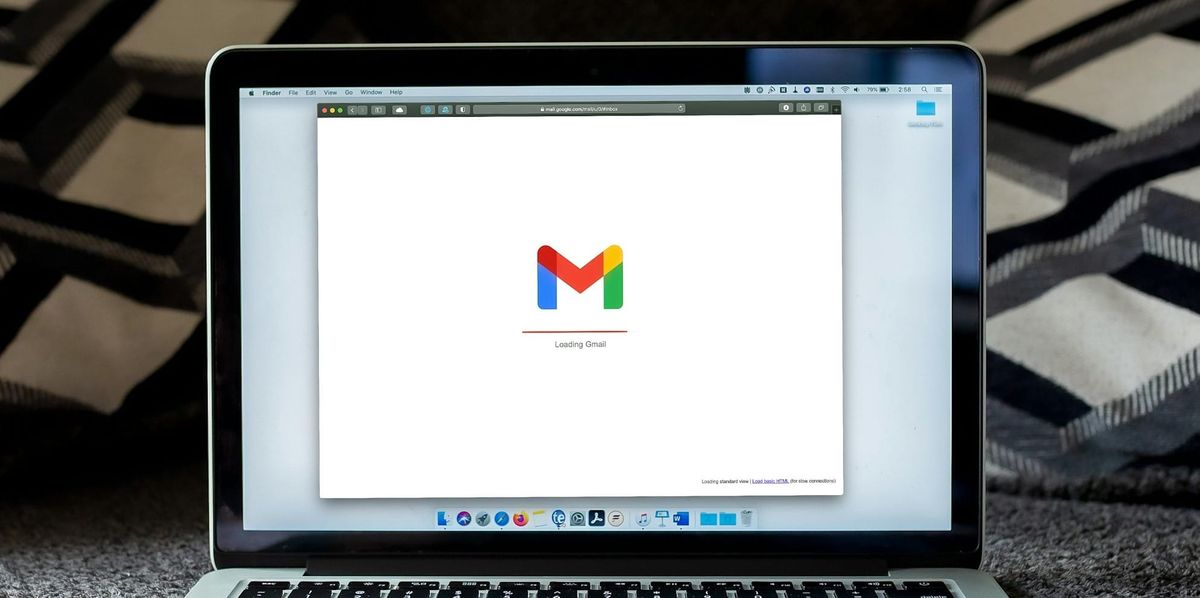
Yes, Gmail is fine for creators, especially at the beginning. A clear address such as yourname.creator@gmail.com, hello.yourname@gmail.com or yourbrand@gmail.com is much better than using an old personal address that looks messy, childish or unrelated to your creator work. The issue is not Gmail. The issue is whether the email looks credible and is managed properly.
In short: Gmail is fine. Chaos is not.
Creators sometimes overthink this. You do not need a custom domain before you have posted consistently, chosen a niche or built any commercial proof. A simple, professional Gmail address is enough for many early creators, UGC creators and small accounts. Brands care far more about fit, content quality, audience relevance and responsiveness than whether your first email is hosted by Gmail.
That said, the address still matters. If your current email is something you created when you were 13, has random numbers, inside jokes, old fandom references or a nickname that does not match your creator identity, create a new one. It takes minutes and removes a very avoidable professionalism problem.
A dedicated Gmail also makes admin cleaner. You can use it for brand enquiries, affiliate accounts, media kit access, invoice conversations, platform sign-ups and creator tools. That separation is often more important than having a custom domain immediately.
When should creators buy a domain email?
Creators should consider buying a domain email when their creator work starts to look like a real business: regular brand enquiries, UGC clients, paid campaigns, affiliate partnerships, a website, a media kit, products, services or invoices. A domain email is not mandatory, but it can make the creator look more established, consistent and easier to trust.
In short: buy a domain email when professionalism and brand consistency start to matter commercially.
A custom email uses your own domain, such as hello@yourname.com or partnerships@yourbrand.co.uk. Google Workspace explains that business email can be set up using a domain you own, while Microsoft says a business email address requires your own domain name. Microsoft’s own guidance also notes that using a domain in your email can help brand your business and build trust with customers.
For creators, the benefit is simple. A domain email makes the operation look more intentional. It connects your email to your website, media kit, invoices and creator brand. If you are pitching brands or asking to be paid properly, that consistency helps.
However, a domain email is not magic. A creator with poor content, unclear positioning and no proof will not become brand-ready just because the email looks smart. The domain supports professionalism. It does not replace substance.
What should a creator business email look like?
A creator business email should be clear, easy to read, easy to remember and connected to your creator name or brand. Avoid random numbers, jokes, old nicknames, confusing spellings and personal details you do not want public. The best email addresses are boring in the right way: obvious, professional and hard to misunderstand.
In short: your business email should make the brand think “this is the right person”, not “is this a real contact?”
| Email format | Good example | Best for |
|---|---|---|
| Name-based Gmail | yourname.creator@gmail.com | Early creators and personal-brand creators. |
| Brand-based Gmail | yourbrand@gmail.com | Creators using a project, site or brand name. |
| General domain email | hello@yourname.com | Creators who want one simple public contact address. |
| Partnership domain email | partnerships@yourbrand.com | Creators receiving brand, PR or affiliate enquiries. |
| Business domain email | business@yourname.com | Creators who want a clear commercial inbox. |
For most creators, hello@yourname.com or partnerships@yourname.com is enough. Avoid being too clever. “Collabs”, “hello”, “business” and “partnerships” are all easy to understand. The point is to reduce friction, not to create a brand puzzle.
If you use a stage name, creator handle or publication name, the email should match that identity as closely as possible. If your profile is called The Creator Insider, an email from a completely unrelated personal address creates unnecessary confusion.
Why should creators separate business email from personal email?
Creators should separate business email from personal email because commercial opportunities need a cleaner workflow than personal life. Brand deals, affiliate invitations, invoices, contracts, media kit requests, platform logins and PR conversations should not sit in the same inbox as personal shopping, old subscriptions, delivery updates and social notifications.
In short: separation makes creator money easier to manage.
A separate inbox helps you respond faster and search better. If a brand asks for your rates, you can find the thread. If an affiliate network sends approval details, you do not lose it. If a client asks about payment terms, you have a record. If a PR agency follows up after a product launch, you can track the relationship.
It also protects your attention. A personal inbox is noisy by design. It collects years of accounts, newsletters, receipts, spam and forgotten subscriptions. A creator business inbox should be leaner, more intentional and easier to review during a weekly admin session.
This is especially important if creator income becomes taxable or business-like. Your email becomes part of your records: invoices sent, briefs received, agreements made, receipts stored and payment conversations tracked. For the wider setup, read How to Set Up as a Creator in the UK.
How does a business email help with brand deals?
A business email helps with brand deals by making you easier to contact, brief, shortlist, contract and pay. Brands often need to send campaign information, product details, deliverable lists, approval steps, disclosure requirements, usage rights, payment terms and contracts. Email gives both sides a cleaner record than DMs.
In short: DMs can start a brand conversation, but email helps turn it into a proper opportunity.
This matters because brands are not just browsing for “nice creators”. They are managing campaigns, budgets and risk. CreatorIQ’s 2025 to 2026 creator marketing report highlights measurement, speed and brand safety as major priorities for creator marketing teams. A creator who is easy to contact and organised in email fits better into that workflow.
Your email setup also supports negotiation. It gives you a place to ask about budget, usage rights, exclusivity, timelines, revisions and payment terms without everything being scattered across social messages. This is important because a paid post is rarely just “one post”. Brands may also want whitelisting, paid usage, raw footage, extra edits or category exclusivity.
Before accepting paid work, read The £500 Brand Deal Trap.
Where should creators use their business email?
Creators should use their business email anywhere a brand, agency, affiliate manager, PR team or client might look for contact details. That includes social bios, link-in-bio pages, media kits, websites, invoices, email signatures, affiliate network profiles, UGC portfolios and creator marketplaces.
In short: use the same email everywhere you want opportunities to find you.
Consistency reduces confusion. If your Instagram bio uses one email, your media kit uses another and your invoice comes from a third, brands may not know which one is the right business contact. A single public contact email is usually better until you are large enough to need separate inboxes for partnerships, press, support or finance.
This also connects to profile discoverability. Instagram’s professional account guidance explains that professional accounts can add contact options to profiles. Those platform features are useful, but creators should still keep the email visible and consistent across their wider setup.
At minimum, put your business email in your bio, your media kit and your website or link hub. If you pitch brands, use the same email in your outreach so replies do not disappear into a different inbox.
How should creators manage a business inbox?
Creators should manage a business inbox with simple folders, labels, templates and a regular review habit. The goal is not to create a corporate helpdesk. The goal is to make sure paid opportunities, contracts, invoices and partnership conversations do not get missed.
In short: a business email only helps if you check it and organise it.
| Inbox system | What to create | Why it helps |
|---|---|---|
| Labels or folders | Brand enquiries, affiliate, PR, invoices, contracts, receipts. | Keeps commercial messages findable. |
| Reply templates | Rates request, media kit reply, gifted campaign response, invoice follow-up. | Saves time and makes replies more consistent. |
| Weekly admin slot | One fixed time to review enquiries, chase replies and file documents. | Stops opportunities being buried. |
| Searchable records | Keep briefs, contracts, usage rights and payment conversations. | Protects you if scope or payment is disputed later. |
| Email signature | Name, role, site or profile link, media kit link if relevant. | Makes your response look cleaner and easier to action. |
You do not need a complicated system. A few labels and two or three reply templates are enough to start. For example, one template can ask for the campaign brief, budget, deliverables, timeline, usage rights and exclusivity. Another can send your media kit. Another can politely decline gifted work that has too many deliverables.
As your creator business grows, your inbox becomes part of your operating system. For the broader tool setup, read The Creator Tech Stack.
Should creators use an email signature?
Yes, creators should use a simple email signature once they are replying to brands, agencies, PR teams, affiliate managers or clients. It does not need to be flashy. It should make your identity, contact details and relevant links easy to find.
In short: an email signature is a small trust signal that also saves brands time.
A good creator email signature might include your name, creator brand, main platform link, website, media kit and business email. If you have a registered business, you may include relevant business details where appropriate. Keep it clean and avoid stuffing it with too many links, badges, quotes or oversized images.
For example:
Your Name
Creator and founder of Your Brand
Instagram: @yourhandle
Media kit: yourdomain.com/media-kit
Business enquiries: hello@yourdomain.com
The signature should support the conversation, not distract from it. Brands should be able to click through, understand who you are and find the next piece of information without asking again.
What email mistakes make creators look unprofessional?
The biggest email mistakes creators make are using an old personal email, mixing business and personal messages, not checking the inbox, replying too casually, missing key questions, failing to ask about scope, using different emails everywhere and having no record of what was agreed.
In short: the problem is rarely one typo. It is the signal that the creator is hard to manage.
Brands do not expect every small creator to have an agency-grade operation. But they do expect basic professionalism once money, products, usage rights or deadlines are involved. If your email setup makes the partnership harder, that can affect whether the brand wants to continue.
| Email mistake | Why it hurts | Better move |
|---|---|---|
| Using an old personal email | It can look careless or disconnected from your creator brand. | Create a clean creator business email. |
| Not checking the inbox | Opportunities can expire quickly. | Set a regular inbox review habit. |
| Replying without asking for scope | You may accept too much work for too little money. | Ask for deliverables, timeline, usage rights and budget. |
| Using multiple contact emails | Brands may not know which thread or address to use. | Keep one clear public email. |
| No filing system | Contracts, receipts and briefs get lost. | Use labels or folders from the start. |
The fix is simple. Create the dedicated inbox, put it in the right places and treat it like part of the business. You do not need perfection. You need reliability.
When should creators upgrade from Gmail to a domain email?
Creators should upgrade from Gmail to a domain email when they have a clear creator brand, a website, regular commercial enquiries, paid brand work, UGC clients, a media kit, products, services or a reason to look more established. The upgrade is especially useful if you are pitching brands or sending invoices from a creator business identity.
In short: upgrade when the professional signal is worth the small cost and setup effort.
A practical rule is this: if you are asking brands to pay you professional rates, your email should not undermine that message. A clean Gmail can still be professional, but a domain email creates a more joined-up brand experience. It tells the brand that your creator work is organised enough to have its own digital home.
That does not mean every creator should rush to buy a domain before publishing. Get the basics right first: clear niche, visible contact email, strong content examples, simple media kit and regular inbox management. Then upgrade the email when the rest of the setup supports it.
For the next layer, read What Is a Creator Media Kit?.
What is the best email setup for most creators?
The best email setup for most creators is a dedicated creator business inbox, a clear public email address, simple labels or folders, a basic email signature, reply templates and consistent use across bio, media kit, website and invoices. New creators can start with Gmail. Growing creators should consider a domain email.
In short: start simple, but make the inbox clean enough that money does not get lost in it.
A strong beginner setup could be yourname.creator@gmail.com, used only for creator work and checked three times a week. A stronger growing setup could be hello@yourname.com connected to Google Workspace, Microsoft 365 or another email host, with labels for brand enquiries, affiliate, PR, invoices and contracts.
The best setup is the one you will actually use. A custom domain that you never check is worse than a simple Gmail you manage well. The aim is to make yourself contactable, organised and easier to pay.
Frequently asked questions
Do creators need a business email?
Yes, creators should use a separate business email once they want brand deals, UGC work, affiliate partnerships, PR opportunities or paid collaborations. It keeps commercial enquiries separate from personal messages and makes the creator easier to work with.
Is Gmail OK for creator business enquiries?
Yes. Gmail is fine for creators, especially at the start, as long as the address is clear, professional and dedicated to creator work. A clean Gmail is much better than an old personal email with random numbers or unrelated nicknames.
Should creators buy a domain email?
Creators should consider a domain email when they have a clear brand, website, regular enquiries, paid work, a media kit or products and services. A custom email such as hello@yourname.com can look more professional, but it is not essential on day one.
What should my creator email address be?
Use something clear and easy to understand, such as yourname.creator@gmail.com, hello@yourname.com, business@yourname.com or partnerships@yourbrand.com. Avoid old nicknames, random numbers, jokes or anything that does not match your creator identity.
Why should creators separate business and personal email?
A separate email helps creators avoid missing brand enquiries, invoices, contracts, affiliate invitations and PR opportunities. It also makes records easier to search and keeps creator admin away from personal inbox noise.
Where should I put my creator business email?
Put your business email in your social bio, link-in-bio page, website contact page, media kit, invoice template, email signature and creator marketplace profiles where relevant. Use the same email consistently where possible.
Should I use DMs or email for brand deals?
DMs can start a conversation, but email is better for serious brand deals. Briefs, rates, contracts, usage rights, invoices and approvals are easier to manage and search through email.
Will a domain email help me get brand deals?
A domain email will not get brand deals by itself, but it can make you look more professional and easier to trust. It works best when combined with strong content, clear positioning, a visible contact route and a useful media kit.
How often should creators check their business email?
Creators actively seeking brand work should check their business email several times a week, and ideally daily during campaigns or pitching periods. Opportunities can move quickly, especially for product launches and time-sensitive briefs.
Can I change my creator email later?
Yes, but try to avoid changing it too often. If you upgrade from Gmail to a domain email, update your bio, media kit, website, invoices, affiliate accounts and old templates so brands contact the right address.
What to do next
Your creator email does not need to be complicated. It needs to be clean, separate and easy to find. If you are still using an old personal inbox, create a dedicated creator email today. If your creator business is becoming more serious, consider buying a domain and setting up a professional email address that matches your brand.
Then use that email properly. Put it in your bio. Add it to your media kit. Use it for affiliate accounts, brand enquiries and invoices. Check it regularly. Create labels for important messages. Save contracts, briefs and payment conversations. The goal is not to look corporate. The goal is to stop missing opportunities because your contact system is messy.
Useful next reads:
- Read Why Brands Aren’t Contacting You: The Simple Bio Mistake Costing Creators Money to fix the visible contact problem first.
- Read What Is a Creator Media Kit? to build the document brands ask for next.
- Read What Brands Actually Look For in Creators to understand how brands evaluate you.
- Read How to Get Brand Deals as a Small Creator before pitching.
- Read How to Set Up as a Creator in the UK if paid work is becoming regular.
- Read How to Invoice Brands and Actually Get Paid before sending your first invoice.
The creator email is not the glamorous part of monetisation, but it is one of the easiest parts to fix. Brands cannot pay you properly if the business side of your profile looks like an afterthought.
Sources: IAB 2025 Creator Economy Ad Spend & Strategy Report; Deloitte Digital 2025 State of Social research; CreatorIQ 2025 to 2026 State of Creator Marketing report; Google Workspace business email guidance; Microsoft 365 business email guidance; Microsoft custom domain guidance; Instagram professional account contact information guidance; The Creator Insider analysis of creator outreach, brand shortlisting, media kits, UGC workflows, affiliate partnerships, invoicing and creator business setup.
This article is general information, not legal, privacy, tax, cybersecurity or business advice. Email providers, platform features, domain costs, deliverability rules, account security requirements and brand workflows can change. Use a secure password, enable two-factor authentication where available and choose contact information you are comfortable making public.
Written for The Creator Insider: evidence-led reporting on how the creator economy actually works. No hype, no incomplete advice.