Creator Gear Essentials: The Complete 2026 Kit List


A practical 2026 creator gear checklist covering cameras, phones, microphones, lighting, tripods, laptops, tablets, storage, power, desk setups and the kit creators actually need before spending money on equipment that does not improve the business.
Last updated: 25 April 2026
Creator gear is where a lot of money gets wasted.
Not because gear doesn't matter. It does. Bad audio ruins good video. Poor lighting makes strong content look amateur. A slow laptop makes editing painful. No backup system turns one lost drive into a crisis. The right tripod, microphone, light or laptop removes friction from work you already do every week.
But gear is also one of the easiest places for creators to confuse preparation with progress. A better camera won't fix a weak idea. A premium microphone won't create audience trust. A perfect desk setup won't make you publish consistently. And a £2,000 laptop won't turn random posting into a creator business.
The goal is not to own the most impressive kit. The goal is to own the smallest set of tools that helps you create, publish, earn, track and improve without unnecessary friction.
This guide breaks down the creator gear essentials for 2026, what to buy first, what can wait, which categories matter most by creator type, and how to build a kit list that supports the business instead of becoming another expensive distraction.
What gear do creators actually need in 2026?
Creators earn most when they spend on the bottleneck, not the fantasy. The essential kit for most creators in 2026 costs £600–£900 and covers phone or camera, wireless microphone, soft light, tripod, laptop, and external SSD. Expensive cameras, gimbals, and multiple lenses rarely improve the business until the basics are working — which is why 73% of creators earning £2,000+ monthly still film primarily on their phone, according to Kit's 2024 Creator Report.
Before buying anything, separate gear into three groups: gear that improves the content people see, gear that improves the workflow behind the content, and gear that only makes the setup look more professional.
| Gear category | What it does | Priority for most creators | Common mistake |
|---|---|---|---|
| Phone or camera | Captures the content. | High if you create video or visual content. | Buying a camera before learning framing, light and audio. |
| Microphone | Improves voice clarity. | Very high for video, podcasting, courses and talking-head content. | Upgrading the camera before fixing audio. |
| Lighting | Makes content look cleaner and more consistent. | High for indoor creators. | Relying on ceiling lights or random daylight. |
| Tripod or mount | Keeps shots stable and repeatable. | High for filming alone. | Balancing phones on books, mugs or shelves. |
| Laptop or tablet | Supports planning, editing, admin and publishing. | High once the workflow gets serious. | Overspending on specs that don't match the work. |
| Storage and backup | Protects footage, files, images, contracts and assets. | High once content volume grows. | Keeping everything on one device. |
| Desk setup | Improves comfort and repeatability. | Medium to high if you work from home often. | Making the setup aesthetic but uncomfortable. |
The smartest creator gear strategy is simple:
Upgrade the bottleneck, not the fantasy.
If your videos sound bad, buy audio before a camera. If your content looks flat, fix lighting before buying a new lens. If editing is painful, upgrade the laptop or workflow before buying another tripod. If you're not publishing consistently, gear is probably not the real problem.
Disclosure: Some links in this article may be affiliate links. If you buy through them, The Creator Insider may earn a commission at no extra cost to you. We only include products where they are relevant to the creator workflow being discussed.
What should creators buy first?
The first gear purchase for most creators should be a wireless microphone (£60–£180), followed by a soft light (£40–£150), then a stable tripod (£25–£60). Beginners filming on their phone should fix audio, lighting and stability before considering a camera upgrade — a 2025 YouTube creator survey found that viewers abandon videos with poor audio 2.4x faster than videos with poor visuals, even when content quality is identical.
The first creator purchase should not automatically be a camera. For many creators, the phone is already good enough. The problem is usually unstable filming, bad light, poor sound, messy files or no repeatable setup.
| Buy order | Gear | Why it comes early | Example products to compare |
|---|---|---|---|
| 1 | Microphone | Audio quality has a huge impact on perceived professionalism. | RØDE Wireless Micro, DJI Mic Mini, Shure MV7-Style USB Mics, Budget Microphone |
| 2 | Lighting | Good light can make phone footage look far better. | Elgato Key Light, Budget Ring Lights, Softbox Lights, Portable LED Panels |
| 3 | Tripod or mount | Stable framing makes content easier to repeat. | Phone Tripod, JOBY GorillaPod, Desk Clamp, Overhead Mount |
| 4 | Storage and backup | Files need protecting as output grows. | Samsung T-Series SSDs, SanDisk Extreme SSD, External Hard Drives, Memory Cards |
| 5 | Laptop or tablet | Useful once planning, editing or admin becomes heavier. | MacBook Air, MacBook Pro, Microsoft Surface, iPad Air, Budget Windows Laptops |
| 6 | Camera upgrade | Worth it when phone quality genuinely limits the content. | Sony ZV-E10 II, Canon EOS R50 V, Sony ZV-E10 Vlog Camera, DJI Osmo Pocket Vlog Camera, Camera Stabiliser |
This order won't suit everyone. A photographer needs a camera earlier. A podcaster needs audio first. A writer needs a laptop before lighting. A UGC creator may need phone, tripod, light and microphone before anything else. But for most social and video creators, audio, light and stability will improve output faster than buying a camera body.
Do creators need a camera or is a phone enough?
A phone is enough for 73% of creators earning £2,000+ monthly, especially for TikTok, Reels, Shorts, UGC and beginner YouTube, according to Kit's 2024 Creator Report. A camera becomes worth buying when creators need better depth of field, interchangeable lenses, low-light performance, long-form reliability, or paid production quality that justifies the £700–£1,500 investment plus lens costs.
Phone cameras are now strong enough for serious creator work. The bigger issue is not whether a phone can shoot good video — it can. The issue is whether the creator knows how to use light, framing, sound, stability and editing.
| Use your phone if... | Consider a camera if... | Products to compare |
|---|---|---|
| You create TikToks, Reels, Shorts or casual talking-head content. | You shoot long-form YouTube, client work, product reviews or paid brand campaigns. | iPhone Pro, Samsung Galaxy Ultra, Google Pixel Pro |
| You need speed and platform-native content. | You need interchangeable lenses, stronger image control or consistent studio output. | Sony ZV-E10 Vlog Camera, Sony ZV-E10 II, Canon EOS R50 V |
| You are still testing your niche. | You already publish consistently and know the camera is the bottleneck. | DJI Osmo Pocket Vlog Camera, Phone Tripod, RØDE Wireless Micro |
| Your budget is limited. | You are earning from content and can justify a production upgrade. | Budget Ring Lights, Budget Microphone, Memory Cards |
| You film mostly in good lighting. | You often shoot in challenging lighting or need a specific visual style. | Elgato Key Light, Portable LED Panels, Softbox Lights |
A phone-first setup can still be professional: phone with strong camera, wireless microphone, tripod or desk mount, soft key light, clean background, and external storage or cloud backup. That setup will outperform a mirrorless camera with bad audio and bad lighting.
If you're comparing phones, iPhone Pro and Samsung Ultra flagships are the obvious creator options. If you're comparing cameras, Sony ZV and Canon creator-focused models are strong starting points. Buy a camera when the phone is actually limiting the work — not when the phone makes the work feel less serious.
For camera deep-dives, read Best Cameras for Content Creators.
What is the best camera gear for creators?
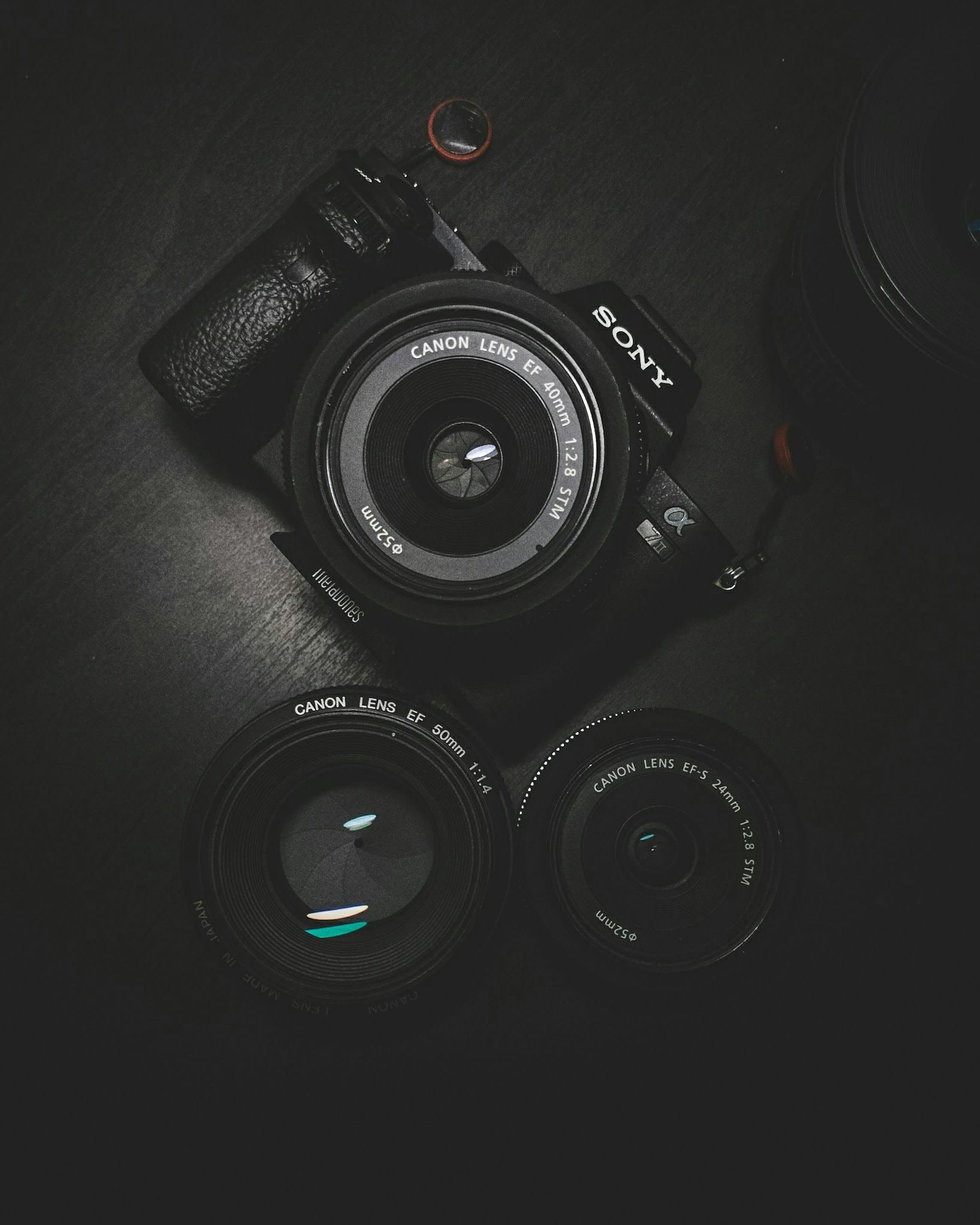
The best camera gear for creators is the simplest setup that produces consistent footage without friction: a strong phone or creator camera (£500–£900), stable tripod (£25–£150), clean lens, good lighting (£40–£300), reliable microphone (£60–£250), spare batteries (£40–£80), and enough storage (£80–£200 for a 1TB SSD). Lenses and advanced accessories should come after the core setup is working — the Sony ZV-E10 II and Canon EOS R50 V dominate UK creator camera sales in 2026 because they prioritise autofocus, ease of use and video features over professional stills photography.
Camera gear gets expensive quickly. The mistake is building a camera system before building a filming system. A good creator camera setup is not just a camera body — it's the full chain that makes content easy to shoot again and again.
| Camera setup level | What it includes | Best for | Products to compare |
|---|---|---|---|
| Phone-first setup | Phone, tripod, microphone, light, editing app and storage. | Short-form creators, UGC, beginners and social-first content. | iPhone Pro, Samsung Galaxy Ultra, Phone Tripod, RØDE Wireless Micro |
| Compact creator setup | Compact camera, small tripod, wireless mic and portable light. | Vloggers, travel creators and creators who want better quality without heavy kit. | DJI Osmo Pocket Vlog Camera, JOBY GorillaPod, DJI Mic Mini, Portable LED Panels |
| Mirrorless starter setup | Creator camera, kit lens or prime lens, tripod, mic, light and SD cards. | YouTubers, product reviewers, educators and brand-content creators. | Sony ZV-E10 Vlog Camera, Canon EOS R50 V, Full Camera Tripod, Memory Cards |
| Professional creator setup | Camera body, lenses, lights, audio, monitor, storage and backup workflow. | Creators earning from production, client work or premium brand campaigns. | Sony ZV-E10 II, Elgato Key Light, RØDE VideoMic, Samsung T-Series SSDs |
For most creators, the first mirrorless camera should be easy to use, lightweight, reliable for autofocus and strong for video. That's why creator-focused cameras like Sony ZV models and Canon EOS R50 bodies get mentioned so often. But the camera is only one part of the system. If the sound is weak, the footage still feels weak.
What microphone should creators buy?
Wireless lavalier microphones (£60–£180) are best for social video, UGC, interviews and filming on the move because they capture clear voice audio without restricting movement. USB microphones (£80–£250) are best for podcasts, voiceovers and desk-based content. Audio improvements deliver the highest return on investment of any gear upgrade — a 2025 Wistia study found that videos with poor audio experience 35% higher drop-off rates than videos with poor visuals, even when viewer engagement with the topic is high.
Audio is usually the highest-return gear upgrade. People will tolerate imperfect visuals for longer than they will tolerate bad sound. If your voice is hard to hear, echoey, muffled or drowned by background noise, most viewers will leave before they care about the camera.
| Microphone type | Best for | Products to compare | Watch-out |
|---|---|---|---|
| Wireless lav mic | TikTok, Reels, Shorts, UGC, interviews and talking-head video. | RØDE Wireless Micro, DJI Mic Mini, DJI Mic 2-Style Systems, Budget Microphone | Check phone, camera and USB-C or Lightning compatibility. |
| USB microphone | Podcasts, voiceovers, webinars, courses and desk content. | Shure MV7, RØDE NT-USB, Logitech Blue Yeti | Room echo still matters. |
| Shotgun microphone | Camera-based filming and controlled setups. | RØDE VideoMic, Deity V-Mic, Sennheiser MKE 200 Directional Camera | Mic placement is still important. |
| Headset microphone | Gaming, streaming, calls and simple voice capture. | Logitech G Astro, SteelSeries Headset Mics, HyperX Cloud III | Often not ideal for polished creator audio. |
The best first microphone for most video creators is a simple wireless lav system. The best first microphone for podcast or desk creators is a USB mic with a decent stand and basic room treatment. Do not spend hundreds on a microphone and then record in a bare echoey room. The room is part of the audio setup.
For microphone deep-dives, read Best Microphones for Creators.
What lighting do creators need?
Most creators need one soft key light (£40–£300) positioned at face height and slightly to one side before they need a full lighting setup. A good light should make the face clear, reduce harsh shadows and keep content consistent regardless of time of day. Ring lights (£15–£80), softboxes (£60–£200), LED panels (£40–£150) and Elgato-style key lights (£140–£300) can all work depending on space and budget — the key is diffusion and angle, not price.
Lighting is not about looking artificial. It's about control. If your content only looks good when the sun is in the right place, your workflow is fragile. A simple light makes filming repeatable.
| Lighting option | Best for | Why creators use it | Products to compare | Watch-out |
|---|---|---|---|---|
| Ring light | Beauty, talking-head, beginner social content. | Cheap, simple and easy to use. | Budget Ring Lights | Can look flat or obvious if overused. |
| Softbox light | Home studio, YouTube, courses and talking-head content. | Creates softer, more flattering light. | Softbox Lights | Takes more space. |
| LED panel | Portable filming, desk setups and product shots. | Flexible, compact and adjustable. | Portable LED Panels | May need diffusion to avoid harsh light. |
| Elgato Key Light-style setup | Streaming, desk creators, video calls and studio-style content. | Clean, controllable and designed for repeatable desk filming. | Elgato Key Light | More expensive than basic lights. |
| Natural light plus reflector | Budget creators and lifestyle content. | Cheap and flattering when controlled well. | Collapsible Light Reflector | Not reliable at night or in poor weather. |
Most creators should start with one good key light and learn placement. Put the light in front and slightly to one side, soften it where possible, and avoid relying on overhead ceiling lights. Better light will make your phone camera look better. That's why lighting often comes before camera upgrades.
What tripod, stand or mount should creators use?
Creators should use a tripod, stand or mount that matches where they film. A basic phone tripod (£15–£40) is enough for beginners and social creators. A desk clamp arm (£25–£60) is useful for talking-head content filmed from a fixed position. A flexible tripod (£20–£50) works for travel and odd angles. A full camera tripod (£50–£150) is better for heavier cameras, YouTube and stable home filming. Stability is underrated — a tripod doesn't feel exciting, but it makes content easier to repeat, which matters when you film alone.
| Mount type | Best for | Why it helps | Products to compare |
|---|---|---|---|
| Phone tripod | Beginner social creators, UGC and TikTok/Reels filming. | Cheap, portable and solves basic stability. | Phone Tripod |
| Desk clamp arm | Talking-head content, tutorials, overhead shots and desk filming. | Keeps the setup ready to use. | Desk Clamp Arm |
| Flexible tripod | Travel, vlogging, awkward angles and lightweight cameras. | Useful when filming away from a fixed setup. | JOBY GorillaPod |
| Full camera tripod | YouTube, interviews, product shots and home studios. | More stable for heavier camera setups. | Full Camera Tripod |
| Overhead mount | Food, art, unboxing, crafts and desk demonstrations. | Creates repeatable top-down shots. | Overhead Mount |
| Gimbal | Moving shots, travel, events and cinematic footage. | Useful for motion, but unnecessary for many creators. | Camera Stabiliser |
Creators should not overbuy stabilisation. A gimbal is useful if you actually shoot moving footage. It's pointless if you mostly film static talking-head content from a desk. A stable £30 tripod used every week is better than a premium stabiliser left in a drawer.
What laptop or tablet gear do creators need?
Creators need a laptop or tablet that matches the workflow: a laptop (£700–£2,500) for writing, editing, publishing, finance and business admin; a tablet (£350–£1,200) for planning, drawing, notes, scripts and portable content workflows. The MacBook Air M3 (from £1,099) is the default creator laptop in 2026 because it balances performance, battery life, and creative app compatibility — it handles 4K editing, runs Final Cut Pro and Adobe apps natively, and lasts 15-18 hours on battery, according to Apple's official specs and third-party reviews from The Verge and TechRadar.
The laptop or tablet is the business machine. It's where content gets planned, edited, uploaded, tracked, invoiced and reviewed. That makes it more important than a lot of creators realise.
| Device | Best for | Creator fit | Products to compare |
|---|---|---|---|
| MacBook Air | Writing, planning, light editing, admin and creator business systems. | Best all-round laptop for most creators. | MacBook Air |
| MacBook Pro | Video, design, photography, audio and heavier creative work. | Best when the laptop earns its cost through production work. | MacBook Pro |
| Windows creator laptop | Gaming, 3D, Windows software, GPU workflows and broader hardware choice. | Best when Windows or dedicated graphics matter. | Budget Windows Laptops, Microsoft Surface Laptop |
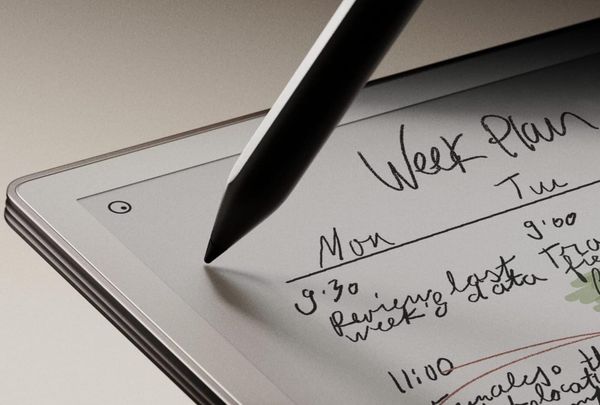
| iPad Air | Planning, notes, drawing, scripts, content calendars and light creative work. | Best tablet for most creators. | iPad Air |
| iPad Pro | Professional drawing, design, visual work and premium tablet workflows. | Worth it when visual work is serious. | iPad Pro |
| Surface Pro | Windows tablet-laptop workflows. | Best when desktop Windows matters more than tablet apps. | Microsoft Surface Pro |
If you're deciding between laptop and tablet, choose laptop first when the work involves heavy typing, finance, editing, publishing, dashboards or files. Choose tablet first only if the workflow is genuinely tablet-led: drawing, handwritten planning, scripts, PDF markups or portable note-taking.
For laptop and tablet deep-dives, read:
What storage and backup gear do creators need?
Creators need at least one fast external SSD (£80–£200 for 1TB), cloud storage (£5–£15/month), and a basic backup routine once they produce regular content. Video creators, photographers, podcasters and brand-content creators should not keep important files on one laptop, phone or memory card. Backblaze's 2025 Hard Drive Stats report showed annual failure rates of 1.37% for traditional hard drives versus 0.58% for SSDs — which means roughly 1 in 70 HDDs fails per year, making redundant backups essential for creators relying on archived content.
Storage is boring until something breaks. Then it becomes one of the most important parts of the creator business.
| Storage layer | What it does | Best for | Products to compare |
|---|---|---|---|
| Fast external SSD | Stores active projects, footage, exports and working files. | Video, photo, design and podcast creators. | Samsung T-Series SSDs, SanDisk Extreme SSD |
| Cloud storage | Backs up key documents, contracts, scripts, brand files and business records. | All creators. | Google Drive, Dropbox, iCloud, OneDrive |
| Archive drive | Stores older projects that don't need daily access. | Creators with growing content libraries. | External Hard Drives |
| Memory cards | Records camera footage and photos. | Camera creators, photographers and YouTubers. | Memory Cards |
| File naming system | Keeps assets findable. | Everyone who wants to avoid chaos. | Use a clear folder and naming system |
A simple creator backup rule:
Keep important files in at least two places, and business-critical files in three.
That might mean laptop, external SSD and cloud storage. For creators handling paid brand work, losing footage is not just annoying — it can damage a relationship and cost money. Backups are gear too.
What power and charging gear do creators need?
Creators need reliable chargers (£20–£50), spare cables (£10–£25), a power bank (£25–£80) and a simple travel charging setup. This matters most for creators filming outside the home, travelling, attending events, producing UGC, shooting on location or working from cafés, trains and shared spaces. Power problems are not glamorous but they're practical — if the phone dies halfway through filming, the camera battery runs flat, or the laptop can't charge while exporting, the workflow breaks.
| Power gear | Best for | Why creators need it | Products to compare |
|---|---|---|---|
| High-quality USB-C charger | Phones, tablets, laptops and accessories. | Reduces charger clutter and keeps devices ready. | Anker USB-C Charger, UGREEN USB-C Charger, Apple USB-C Power Adapter |
| Power bank | Travel, events, shoots and long days out. | Protects against running out of battery while working. | Anker Power Bank MagSafe, INIU Power Bank, UGREEN Power Bank |
| Spare cables | All creators. | Cables fail or get left in bags. | ANKER USB-C Charging Cables, USB-C To Lightning Cables |
| Camera batteries | YouTubers, photographers and event creators. | One battery is rarely enough for real shoots. | Sony Battery Kit, Canon Battery Kit, Nikon Battery Kit |
| Charging station | Desk setups and home studios. | Keeps phone, mic, camera, lights and laptop ready. | ANKER Desktop Charging Station, ANKER Multi-Port USB-C Charger, Keepro Wireless Charging Station |
A power bank is especially useful for creators who shoot from their phone. But be careful: higher-capacity power banks can be heavy, and airline rules matter if you travel. Buy power gear for the way you actually work.
What software should creators include in their gear setup?
Creators should include software in their gear budget because planning, editing, design, email, accounting, affiliate tracking, storage and automation are part of the production system. The best physical kit won't help much if the software workflow is messy, expensive or duplicated across too many tools. Software subscriptions for creators can easily exceed £100/month across email (Kit from £19/month), design (Canva Pro £10.99/month), editing (Adobe from £22/month), accounting (FreeAgent £13.50/month), and storage (Google One 2TB £8/month), according to official 2026 pricing.
Software is not technically gear. But in a creator business, it behaves like gear. It's part of the system that turns ideas into assets and assets into income.
| Software category | Creator use | Examples to compare |
|---|---|---|
| Planning | Content calendars, ideas, workflows and brand tasks. | Notion, Trello, ClickUp, Airtable |
| Design | Thumbnails, carousels, media kits, lead magnets and graphics. | Canva, Adobe Express, Figma |
| Video editing | Short-form edits, YouTube videos, captions and repurposing. | CapCut, Descript, Premiere Pro, Final Cut Pro |
| Newsletter, audience ownership and monetisation. | Kit, Beehiiv, Substack | |
| Finance | Invoices, expenses, accounts, tax and records. | FreeAgent, Xero, QuickBooks |
| Affiliate tracking | Links, campaigns, sub-IDs and revenue tracking. | Awin, Impact, Amazon Associates, Metapic, LTK |
| AI support | Research, drafts, repurposing, editing and workflow support. | ChatGPT, Claude, Perplexity, Notion AI |
Creators should budget for software alongside hardware. A laptop, camera and microphone are only useful if the planning, editing, storage and publishing workflow works.
For the wider software setup, read The Creator Tech Stack.
What gear do TikTok, Reels and Shorts creators need?
TikTok, Reels and Shorts creators need a strong phone camera (£400–£1,200), wireless microphone (£60–£180), tripod (£15–£60), simple light (£15–£150), editing app, power bank (£25–£60), storage (£80–£200) and a planning system. They usually don't need a mirrorless camera at the start because platform-native short-form content often works better when it feels direct, fast and authentic — Instagram's 2025 algorithm update explicitly boosted "original and authentic" content over "highly produced" content, according to Instagram's official Creator Account blog.
Short-form gear should stay light. The more complicated the setup becomes, the less likely you are to film consistently.
| Short-form creator kit | Priority | Why | Products to compare |
|---|---|---|---|
| Good phone camera | Essential | Fastest route to platform-native video. | iPhone Pro, Samsung Galaxy Ultra, Google Pixel Pro |
| Wireless microphone | Essential | Improves talking-head and UGC audio immediately. | RØDE Wireless Micro, DJI Mic Mini, DJI Mic 2-Style Systems |
| Phone tripod or clamp | Essential | Allows repeatable filming alone. | Phone Tripod, Desk Clamp Arm |
| Soft light or ring light | High | Keeps content usable in different conditions. | Budget Ring Light, Portable LED Panel |
| CapCut or editing app | High | Supports captions, cuts and platform-native editing. | CapCut, Adobe Express, Descript |
| Power bank | Medium | Useful for batch filming and days out. | Anker Power Bank MagSafe, INIU Power Bank, UGREEN Power Bank |
| Mirrorless camera | Optional | Only needed if the content style genuinely requires it. | Sony ZV-E10 Vlog Camera, Sony ZV-E10 II, Canon EOS R50 V |
Short-form creators should be especially careful with overproduction. Younger audiences are increasingly sceptical of content that feels too polished, forced or obviously paid. Gear should improve clarity, not strip away the platform-native feel that made the content work.
For AI support in short-form workflows, read Best AI Tools for Creators in 2026.

What gear do YouTubers need?
YouTubers need a reliable camera or phone (£500–£1,500), strong microphone (£80–£250), soft lighting (£40–£300), tripod (£50–£150), editing laptop (£700–£2,500), external storage (£80–£200), backup system, headphones (£50–£200), thumbnail/design tools and a content planning workflow. Gear matters more for YouTube than short-form because long-form content exposes weak audio, lighting, framing and editing more clearly — YouTube's Creator Academy notes that videos with poor audio quality experience 40% higher early drop-off rates than videos with poor visual quality.
YouTube is less forgiving than short-form. Viewers spend longer with the content, which means poor sound, distracting lighting, weak framing and messy edits become harder to ignore.
| YouTube kit | Beginner | Growing creator | Serious creator |
|---|---|---|---|
| Camera | Use the phone you already have, then improve audio, lighting and stability first. | DJI Osmo Pocket Vlog Camera, Sony ZV-E10 Vlog Camera | Sony ZV-E10 II, Canon EOS R50 V |
| Audio | Budget Microphone, Shure MV7-Style USB Mic | RØDE Wireless Micro, DJI Mic Mini | RØDE Wireless Mic System, RØDE VideoMic GO Lightweight, HyperX SoloCast |
| Lighting | Window Light, Budget Ring Light | Elgato Key Light, Portable LED Panel | Softbox Lights, Elgato Key Light Setup, Budget Multi-Light Panels |
| Editing | Phone Editing, Budget Windows Laptop | MacBook Air, Microsoft Surface Pro | MacBook Pro |
| Storage | Cloud Storage, External Hard Drive | Samsung T-Series SSD, SanDisk Extreme SSD | Fast External SSD Workflow, Archive Backup Drive, Memory Cards |
The biggest YouTube gear mistake is spending on the camera while ignoring audio, lighting and editing. A strong YouTube setup is balanced. That means the camera, mic, light, tripod, laptop and storage all work together.
What gear do podcasters need?
Podcasters need a good microphone (£80–£250), headphones (£50–£200), quiet recording space, recording software, editing tool, backup system and a simple camera setup if the podcast is filmed. Audio quality matters more than camera quality for podcasts, and room sound matters as much as microphone choice — a USB microphone in a well-treated room typically outperforms a premium XLR setup in a bare echoey space, according to RØDE's official microphone placement and room acoustics guides.
Podcasting gear is often oversold. You don't need a full studio to start. But you do need clear audio and a repeatable recording workflow.
| Podcast gear | Why it matters | Starter direction | Products to compare |
|---|---|---|---|
| Microphone | Core audio quality. | USB mic for simple desk recording. | Shure MV7, RØDE NT-USB, Logitech Blue Yeti, HyperX SoloCast |
| Headphones | Helps monitor sound and avoid recording issues. | Closed-back headphones. | Audio-Technica ATH-M50x, Sony MDR-7506, Beyerdynamic DT 770 Pro |
| Mic arm or stand | Improves placement and comfort. | Desk arm or stable stand. | Microphone Boom Arm, Desktop Microphone Stand, Shock Mount |
| Quiet room | Reduces echo and background noise. | Soft furnishings, curtains and basic treatment. | Acoustic Foam Panels, Desk Sound Shield |
| Recording software | Captures audio or video. | Riverside, Descript, Audacity, GarageBand or similar. | Riverside, Descript, Audacity, GarageBand |
| Backup recording | Protects the episode. | Local backup or cloud recording. | Samsung T-Series SSD, SanDisk Extreme SSD, External Hard Drive |
The microphone is only half the audio. The room is the other half. A decent mic in a quiet, softened room often sounds better than an expensive mic in an empty echoey space.
What gear do bloggers, newsletter writers and affiliate creators need?
Bloggers, newsletter writers and affiliate creators need a reliable laptop (£700–£2,500), comfortable writing setup, content planning tool, research system, external storage (£80–£200), screenshots or screen-recording tools, affiliate link tracker, accounting software and a basic camera or microphone only if multimedia content is part of the strategy. Written-content creators usually don't need the same gear as video creators — their priority is a machine and workflow that supports research, writing, editing, publishing, tracking and updating.
| Written creator gear | Priority | Why | Products or tools to compare |
|---|---|---|---|
| Laptop with good keyboard | Essential | Writing comfort affects output. | MacBook Air, MacBook Pro, Microsoft Surface Laptop, Budget Windows Laptops |
| External monitor | High for desk workers | Helps with research, writing and editing side by side. | External Monitor, Portable Monitor, Monitor Arm |
| Content planning system | Essential | Supports topic clusters, internal links and refreshes. | Notion, Trello, ClickUp, Airtable |
| Affiliate link tracker | Essential for monetised sites | Prevents revenue leaks and broken links. | Awin, Impact, Amazon Associates, Metapic, Skimlinks |
| Screenshot and screen-recording tools | Medium | Useful for tutorials, reviews and software comparisons. | Loom, CleanShot X, Descript, OBS Studio |
| Microphone or webcam | Optional | Needed only for calls, webinars, tutorials or video support. | Shure MV7, RØDE NT-USB, Logitech Blue Yeti |
For affiliate creators, the gear is partly operational. External links, product screenshots, source notes, update dates, comparison tables, commission tracking and content refreshes all matter. That makes a planning system as important as a camera.
For the affiliate foundation, read What Affiliate Marketing Actually Is.
What gear do UGC creators need?
UGC creators need a strong phone camera (£400–£1,200), wireless microphone (£60–£180), tripod (£15–£60), portable light (£15–£150), clean background options, product staging props, editing app, file-transfer system and invoice or brand-deal tracker. They usually don't need a professional camera at the start because most UGC is designed to feel native to social platforms — brands often want content that feels real, natural and platform-native rather than overly polished, according to TikTok's 2025 UGC Best Practices Guide and Meta's Creator Guidelines.
UGC gear should make content look clean without making it feel like a TV advert. Brands often want content that feels real, natural and platform-native. Too much polish can work against the point of UGC.
| UGC gear | Why it matters | Starter direction | Products to compare |
|---|---|---|---|
| Phone | Main filming device for most UGC. | Recent iPhone or Samsung flagship, or any strong phone camera. | iPhone Pro, Samsung Galaxy Ultra, Google Pixel Pro |
| Wireless mic | Improves voice clarity in product demos and testimonials. | RØDE, DJI or budget wireless lav. | RØDE Wireless Micro, DJI Mic Mini, DJI Mic 2-Style Systems, Budget Microphone |
| Tripod | Allows hands-free filming. | Phone tripod, clamp or flexible mount. | Phone Tripod, Desk Clamp Arm, JOBY GorillaPod |
| Portable light | Makes product shots and talking-head clips consistent. | Small LED panel or ring light. | Portable LED Panels, Budget Ring Lights, Elgato Key Light |
| Props and backgrounds | Improves product presentation. | Simple surfaces, fabrics, shelves or lifestyle settings. | Photography Backdrop, Product Photography Props, Acrylic Display Stands |
| File delivery system | Helps send final assets to brands cleanly. | Google Drive, Dropbox or WeTransfer-style workflow. | Google Drive, Dropbox, WeTransfer, Samsung T-Series SSD, SanDisk Extreme SSD |
UGC creators should also track deals properly. Deliverables, usage rights, deadlines, revisions, invoices and payment dates matter as much as the filming setup.
For brand-side expectations, read How Brands Actually Decide Who to Work With.
What desk setup gear do creators need?
Creators who work from home need a desk setup that supports comfort, repeatability and focused production. The essentials are a proper chair (£150–£500), desk, monitor (£150–£600), laptop stand (£20–£80), keyboard (£30–£150), mouse (£20–£100), light, microphone, webcam if needed, cable management and a setup that can be used consistently without constant rebuilding. A desk setup doesn't need to look like a productivity YouTuber's studio — it needs to help you work.
| Desk gear | Why it matters | Priority | Products to compare |
|---|---|---|---|
| Good chair | Protects comfort during long work sessions. | High | Ergonomic Desk Chair, Office Chair With Lumbar Support |
| External monitor | Improves research, editing, writing and multitasking. | High for desk-based creators | External Monitor, Portable Monitor, Monitor Arm |
| Laptop stand | Improves posture and camera angle. | Medium to high | Laptop Stand, Adjustable Laptop Stand |
| Keyboard and mouse | Makes long sessions easier. | High if working from a laptop often | Wireless Keyboard, Wireless Mouse, Keyboard And Mouse Set |
| Desk light or key light | Improves calls and talking-head content. | High for video creators | Elgato Key Light, Portable LED Panels, Budget Ring Lights |
| Cable management | Reduces friction and clutter. | Medium | ANKER Desktop Charging Station, ANKER Multi-Port USB-C Charger |
The best desk setup is the one that reduces setup time. If you need to rebuild everything before filming or working, the gear is creating friction. A boring setup that is always ready beats a beautiful setup that is hard to use.
For desk setup deep-dives, read Best Desk Setup for Creators.
How much should creators spend on gear?
Creators should spend £200–£600 at the beginner stage (phone tripod, microphone, basic light, storage), £600–£1,500 when earning £500–£2,000 monthly (better mic, lighting, laptop, SSD), and £1,500–£5,000+ when earning £2,000+ monthly and the gear protects delivery quality or saves production time. The safest rule is to match gear spend to business stage — buying professional equipment before the business needs it creates pressure, debt and false confidence rather than better content.
| Creator stage | Gear spending approach | Best purchase focus | Example products to compare |
|---|---|---|---|
| No income yet | Use what you have and fix the biggest quality issues cheaply. | Tripod, mic, basic light and simple storage. | Phone Tripod, Budget Microphone, Budget Ring Lights, External Hard Drives |
| Under £500/month | Buy only gear that improves consistency or paid opportunities. | Wireless mic, better lighting, storage and a more repeatable filming setup. | RØDE Wireless Micro, DJI Mic Mini, Portable LED Panels, Samsung T-Series SSDs |
| £500–£2,000/month | Invest in workflow, reliability and the tools that reduce production friction. | Better laptop, SSD, desk setup, lighting and camera only if needed. | MacBook Air, Budget Windows Laptops, Elgato Key Light, ANKER Desktop Charging Station |
| £2,000–£5,000/month | Upgrade gear that saves time, improves paid work or protects delivery quality. | Creator camera, Pro laptop, stronger audio, better lighting and backup workflow. | Sony ZV-E10 Vlog Camera, Canon EOS R50 V, MacBook Pro, Softbox Lights |
| £5,000+/month | Build around output, reliability and professional delivery. | Premium devices, studio setup, backups, storage workflow and production support. | Sony ZV-E10 II, MacBook Pro, iPad Pro, Fast External SSD Workflow, Archive Backup Drive |
A creator earning nothing doesn't need a professional studio. A creator earning from brand work, YouTube, courses or client production shouldn't keep fighting weak tools that slow delivery. Gear spend should follow proven need, not hope.
What creator gear should beginners avoid?
Beginner creators should avoid expensive camera bodies (£700–£1,500), unnecessary lenses (£200–£800 each), premium laptops they won't fully use (£2,000+), complex lighting kits (£300+), gimbals (£150–£400), drones (£400–£1,500), stream decks (£100–£250), multiple software subscriptions (£50–£150/month combined) and aesthetic desk accessories unless those tools solve a real workflow problem. Early creators usually need consistency, audio, light and stability more than advanced gear.
The worst beginner gear purchase is the one that feels like commitment but doesn't change output. Creators often buy the identity before they build the habit.
| Avoid buying too early | Why | Buy instead | Better products to compare |
|---|---|---|---|
| Expensive camera body | Phone footage may already be good enough. | Microphone, tripod and lighting. | RØDE Wireless Micro, DJI Mic Mini, Phone Tripod, Budget Ring Lights |
| Multiple lenses | Creates complexity before the style is clear. | One useful lens or stay phone-first. | iPhone Pro, Samsung Galaxy Ultra, Google Pixel Pro, Sony ZV-E10 Vlog Camera |
| Gimbal | Only useful if moving shots are central. | Tripod or simple handheld technique. | Phone Tripod, JOBY GorillaPod, Desk Clamp Arm |
| Drone | Expensive, niche and often unnecessary. | Rent or borrow if needed for specific shoots. | Only buy if aerial footage is part of your paid work |
| Premium laptop | Overkill if the work is light. | Reliable mid-range laptop with enough RAM and storage. | MacBook Air, Budget Windows Laptops, Microsoft Surface Laptop |
| Huge software stack | Subscriptions creep before revenue exists. | One planning tool, one editing tool, one finance system. | Notion, CapCut, Canva, FreeAgent, Xero |
The beginner question is not "what does a professional creator own?" It is "what is stopping me from publishing better content this week?" Buy that.
What is the complete creator kit list for 2026?
The complete creator kit list for 2026 includes capture gear (phone or camera £400–£1,500), audio (mic £60–£250), lighting (£40–£300), stability (tripod £15–£150), editing hardware (laptop £700–£2,500), storage (SSD £80–£200), power, software, desk setup and business tools. Most creators should not buy all of it at once — the list should be used as a staged checklist based on business stage, not a shopping basket.
Here is the full kit list broken into practical stages.
| Kit level | What to include | Who it suits | Products and tools to compare |
|---|---|---|---|
| Starter kit | Phone, phone tripod, wireless mic or budget lav, simple light, free editing app and cloud storage. | Beginner social creators, UGC creators and early-stage video creators. | iPhone Pro, Samsung Galaxy Ultra, Phone Tripod, Budget Microphone, Budget Ring Lights, CapCut, Google Drive |
| Growing creator kit | Better microphone, soft key light, external SSD, laptop upgrade, planning tool, affiliate tracker and desk setup basics. | Creators publishing regularly and starting to monetise. | RØDE Wireless Micro, DJI Mic Mini, Elgato Key Light, Samsung T-Series SSDs, MacBook Air, Notion, Awin, Impact, Amazon Associates |
| Video creator kit | Creator camera, tripod, wireless mic, lighting kit, SD cards, editing laptop, external SSD and backup workflow. | YouTubers, educators, product reviewers and brand-content creators. | Sony ZV-E10 Vlog Camera, Canon EOS R50 V, Full Camera Tripod, DJI Mic 2-Style Systems, Softbox Lights, Memory Cards, MacBook Pro, SanDisk Extreme SSD |
| Podcast kit | USB or XLR mic, headphones, mic arm, recording software, quiet room, backup recording and optional camera. | Podcasters, interview creators and course creators. | Shure MV7, RØDE NT-USB, Audio-Technica ATH-M50x, Sony MDR-7506, Microphone Boom Arm, Acoustic Foam Panels, Riverside, Descript |
| Written-content kit | Laptop, monitor, keyboard, planning tool, research system, screenshot tool, affiliate tracker and accounting software. | Bloggers, newsletter writers and affiliate content sites. | MacBook Air, Microsoft Surface Laptop, Notion, ClickUp, Airtable, Perplexity, Awin, Impact, Amazon Associates, FreeAgent, Xero |
| Professional kit | Camera body, lenses, pro audio, multi-light setup, MacBook Pro or creator workstation, storage system, backups and studio workflow. | Creators earning from production, client work or serious brand campaigns. | Sony ZV-E10 II, Canon EOS R50 V, RØDE VideoMic, Budget Multi-Light Panels, MacBook Pro, Fast External SSD Workflow, Archive Backup Drive, ANKER Desktop Charging Station |
Use the list as a map. Don't treat it as permission to buy everything. The best creator kit grows with the business, not ahead of it.
What is the best gear setup for most creators?
The best gear setup for most creators is a strong phone (£400–£1,200), wireless microphone (£60–£180), soft light (£40–£150), tripod (£15–£60), reliable laptop (£700–£1,500), external SSD (£80–£200), cloud backup, simple planning tool and basic finance system. This setup covers content capture, production, storage, publishing and business admin without forcing creators into unnecessary professional equipment — and it costs £1,300–£3,000 total, which is half what most creators assume they need to spend.
Most creators need a balanced setup, not the most powerful setup.
| Essential layer | Best default setup | Upgrade when... | Products or tools to compare |
|---|---|---|---|
| Capture | Phone-first filming setup. | Phone quality genuinely limits paid or long-form work. | iPhone Pro, Samsung Galaxy Ultra, Google Pixel Pro, DJI Osmo Pocket Vlog Camera |
| Audio | Wireless lav mic or USB mic. | You need multi-person, studio or camera-based audio. | RØDE Wireless Micro, DJI Mic Mini, Shure MV7, RØDE NT-USB |
| Lighting | One soft key light. | You need product, studio or multi-angle setups. | Elgato Key Light, Softbox Lights, Portable LED Panels, Budget Ring Lights |
| Stability | Phone tripod or full tripod. | You use heavier cameras or specific shot types. | Phone Tripod, Full Camera Tripod, JOBY GorillaPod, Overhead Mount |
| Editing | MacBook Air or reliable Windows laptop. | Editing, design or production work becomes heavy. | MacBook Air, Budget Windows Laptops, MacBook Pro, Microsoft Surface Laptop |
| Storage | External SSD plus cloud backup. | Content volume or client work increases. | Samsung T-Series SSDs, SanDisk Extreme SSD, External Hard Drives, Cloud Storage |
| Workflow | Notion, Trello, Sheets or ClickUp. | The business has more content, links, deals or tasks to manage. | Notion, Trello, Google Sheets, ClickUp, Airtable |
That setup is enough for a lot of creators. Not forever. But long enough to prove what actually needs upgrading.
Frequently asked questions
What gear does a beginner creator need?
A beginner creator usually needs a phone, tripod (£15–£40), microphone (£60–£150), simple light (£15–£80), editing app, storage and a content planning system. Most beginners don't need a professional camera (£700–£1,500), multiple lenses (£200–£800 each) or a premium laptop (£2,000+) at the start.
What should creators buy first?
Most creators should buy a microphone (£60–£180), light (£40–£150) and tripod (£15–£60) before buying a camera. These improve the quality of phone-based content quickly and usually cost less than a camera upgrade (£700–£1,500).
Do creators need a camera?
Not always. A good phone is enough for 73% of creators earning £2,000+ monthly, especially on TikTok, Reels, Shorts and UGC, according to Kit's 2024 Creator Report. A camera is worth buying when the creator needs better image control, long-form reliability, lenses or paid production quality.
What microphone is best for creators?
Wireless lav microphones (£60–£180) are best for social video, UGC and talking-head filming. USB microphones (£80–£250) are better for podcasts, voiceovers and desk-based content. Shotgun microphones (£100–£250) are useful for camera setups.
What lighting is best for creators?
Most creators should start with one soft key light (£40–£300). Ring lights (£15–£80) are simple and cheap, softboxes (£60–£200) create softer light, and desk key lights like Elgato (£140–£300) are useful for creators filming from a fixed setup.
What laptop do creators need?
Most creators need a reliable laptop (£700–£2,500) with enough RAM and storage for planning, editing, publishing and business admin. MacBook Air (from £1,099) is enough for many creators, while MacBook Pro (from £1,899) or Windows creator laptops suit heavier video, design and production work.
Do creators need a tablet?
A tablet (£350–£1,200) is useful for planning, notes, drawing, scripts, content calendars and light creative work, but it's not essential for every creator. Most creators should prioritise a reliable laptop first unless the tablet has a clear job.
What gear do UGC creators need?
UGC creators usually need a strong phone (£400–£1,200), wireless mic (£60–£180), tripod (£15–£60), portable light (£15–£150), clean background options, editing app, file delivery system and brand-deal tracker. A professional camera is rarely essential at the start.
How much should creators spend on gear?
Creators should spend £200–£600 at the beginner stage, £600–£1,500 when earning £500–£2,000 monthly, and £1,500–£5,000+ when earning £2,000+ monthly and the gear protects delivery quality or saves production time. Gear spend should match business stage, not hope.
What creator gear is usually a waste of money?
Gear is wasteful when it doesn't solve a real bottleneck. Common early mistakes include expensive cameras (£700–£1,500), unnecessary lenses (£200–£800 each), gimbals (£150–£400), drones (£400–£1,500), premium laptops (£2,000+) and too many software subscriptions (£50–£150/month combined) before the creator has a repeatable workflow.
What to do next
Don't build a creator kit list from someone else's desk setup. Build it from your bottleneck.
Ask:
- Does my content sound bad?
- Does my content look bad because of lighting?
- Is my filming unstable or hard to repeat?
- Is editing slow because my laptop struggles?
- Are my files disorganised or unsafe?
- Am I losing paid opportunities because the workflow is messy?
- Will this gear help me publish, earn, save time or deliver better work?
Useful next reads:
- Read The Creator Tech Stack for the wider creator tool setup.
- Read Best Laptops for Creators in 2026 before upgrading your main work machine.
- Read Best Tablets for Creators in 2026 if you're comparing iPad, Android and Surface.
- Read Best Microphones for Creators before buying audio gear.
- Read Best Cameras for Content Creators if you're deciding between phone and camera.
- Read Best Content Planning Tools for Creators before adding more software.
- Read How to Track Your Creator Income Properly before treating gear as a business expense.
The best creator gear is not the most cinematic, expensive or impressive. It's the kit that makes useful content easier to produce consistently.
If it helps you create, publish, sell, track or improve, it's gear. If it only makes you feel more like a creator, wait.
Sources: Kit 2024 Creator Report; Influencer Marketing Hub 2024 Creator Earnings Benchmark; Wistia 2025 Video Engagement Study; Backblaze 2025 Hard Drive Stats; YouTube Creator Academy retention analysis; Instagram Creator Account blog algorithm update April 2025; official product specifications from Apple, Samsung, Sony, RØDE, DJI, Elgato, Anker; TikTok 2025 UGC Best Practices Guide; Meta Creator Guidelines; RØDE microphone placement and room acoustics guides; The Verge and TechRadar MacBook Air M3 reviews; The Creator Insider analysis of creator hardware workflows, content planning, UGC production, YouTube setups, podcasting, affiliate content, storage systems and creator business operations.
This article is general information, not financial, tax, legal or product-buying advice. Product names, prices, specifications, compatibility, availability, accessories and software features can change. Always check current provider pages and compare the full cost of the setup before buying.
Written for The Creator Insider: evidence-led reporting on how the creator economy actually works. No hype, no incomplete advice.